Walk into any electronics retail store or browse online storefronts, and you will be inundated by high-octane Wi-Fi 7 marketing promising blazing speeds of ‘up to 5.8 Gbps on client devices’ and aggregated router throughputs exceeding ‘BE19000’ or ‘BE46000’. Backed by the IEEE 802.11be standard, Wi-Fi 7 is heralded as the wireless messiah that renders wired Ethernet obsolete. But beneath the glossy marketing packaging lies an unyielding wall of radio frequency (RF) physics: 4096-QAM (4K-QAM) modulation mandates an extreme Signal-to-Noise Ratio (SNR) threshold that collapses across a single drywall partition, while bonding ultra-wide 320 MHz channels turns consumer routers into sitting ducks for Dynamic Frequency Selection (DFS) airport radar shutdowns. Before you spend $600 on a flagship Wi-Fi 7 router, let us peel back the RF engineering reality of why you almost certainly are not getting 5.8 Gbps in your living room—and what hardware upgrades actually matter.
1. The Retail Marketing Illusion: Deconstructing ‘BE19000’ and ‘5.8 Gbps’
To understand why consumer speed expectations are consistently shattered, one must dissect how networking equipment vendors calculate the headline numbers printed on router boxes. When an OEM advertises a ‘BE19000’ tri-band router, that 19,000 Mbps figure is not a speed any single device can achieve; it is a fictitious mathematical aggregate of the theoretical maximum physical layer (PHY) rates across every radio band combined:
- 2.4 GHz Band (4×4 MIMO @ 40 MHz, 4096-QAM): 1,376 Mbps
- 5 GHz Band (4×4 MIMO @ 160 MHz, 4096-QAM): 5,764 Mbps
- 6 GHz Band (4×4 MIMO @ 320 MHz, 4096-QAM): 11,529 Mbps
- Theoretical Aggregate Total: \(1,376 + 5,764 + 11,529 = 18,669 \ \text{Mbps} \approx \mathbf{BE19000}\)
However, no consumer client device on earth features 4×4 MIMO antennas. Flagship smartphones (iPhone 16 Pro, Samsung Galaxy S24 Ultra), high-end laptops (MacBook Pro, Dell XPS), and PCIe desktop Wi-Fi cards are strictly limited by battery power and physical space to 2×2 MIMO configurations (two transmit antennas, two receive antennas).
Therefore, the absolute theoretical maximum physical link rate for any real-world 2×2 client connecting to a 320 MHz Wi-Fi 7 channel is exactly half the 4×4 rate:
Furthermore, in wireless networking, physical layer (PHY) rate is fundamentally distinct from actual usable application layer throughput (goodput). After accounting for 802.11 MAC management headers, TCP/IP encapsulation overhead, clear-channel assessment (CCA) backoffs, and inter-frame spacing (IFS), real-world throughput under ideal lab conditions is at best 65% to 70% of the PHY rate—capping maximum achievable real-world transfer speeds at approximately 3.5 to 3.8 Gbps. And that is before the laws of RF propagation take effect.

2. 4096-QAM Constellation Physics: The Brutal 38 dB SNR Ceiling
The flagship modulation feature of Wi-Fi 7 is 4096-QAM (Quadrature Amplitude Modulation), upgrading from Wi-Fi 6’s 1024-QAM. In digital RF communications, QAM modulates an analog carrier wave by varying both its amplitude and its phase. By mapping these variations onto a two-dimensional complex plane (In-phase vs. Quadrature), each symbol represents a distinct binary bit sequence:
- Wi-Fi 5 (256-QAM): Encodes \(2^8 = 8 \ \text{bits}\) per symbol across a \(16 \times 16\) grid (256 constellation points). Required SNR: \(\ge 28 \ \text{dB}\).
- Wi-Fi 6 (1024-QAM): Encodes \(2^{10} = 10 \ \text{bits}\) per symbol across a \(32 \times 32\) grid (1,024 constellation points). Required SNR: \(\ge 32 \ \text{dB}\).
- Wi-Fi 7 (4096-QAM): Encodes \(2^{12} = 12 \ \text{bits}\) per symbol across an extraordinarily dense \(64 \times 64\) grid (4,096 constellation points). Required SNR: \(\ge \mathbf{38 \ \text{dB}}\).
While jumping from 10 bits to 12 bits yields a theoretical 20% throughput increase (\(12 / 10 = 1.20\)), the physical penalty is merciless. To fit 4,096 distinct target points into the same normalized RF signal space, the Euclidean distance (\(d_{\text{min}}\)) between adjacent constellation states shrinks by exactly 50% compared to 1024-QAM:
To demodulate a received symbol without catastrophic Bit Error Rates (BER), the client’s RF frontend requires an ultra-pristine Signal-to-Noise Ratio (SNR) of at least 38 dB, accompanied by an Error Vector Magnitude (EVM) of \(\le -38 \ \text{dB}\).
In real-world living rooms and office spaces, achieving a 38 dB SNR on the 6 GHz band is an extraordinary rarity. Due to free-space path loss governed by the Friis transmission formula:
A 6 GHz radio signal attenuates far more aggressively than 5 GHz or 2.4 GHz signals. At a distance of merely 3 to 4 meters line-of-sight from the router, signal attenuation drops SNR below 35 dB. Introduce a single standard 1/2-inch drywall interior partition (which absorbs 4 to 7 dB of 6 GHz signal) or double-pane Low-E glass window, and SNR plunges instantly below 30 dB.
The moment SNR drops below 38 dB, the client device automatically shifts down its Modulation and Coding Scheme (MCS), falling back to 1024-QAM or 256-QAM. In practice, you only experience 4096-QAM speeds when standing within 3 meters of the router in direct, unobstructed line-of-sight.
3. The 320 MHz DFS Radar Collision Trap & Global Spectrum Limits
The primary factor enabling Wi-Fi 7 to claim massive multi-gigabit speeds is not 4K-QAM; it is channel width. Wi-Fi 6 topped out at 160 MHz channels, whereas Wi-Fi 7 doubles channel bandwidth to an enormous 320 MHz.
However, carving out 320 MHz of contiguous, unpolluted RF spectrum creates severe regulatory and physical headaches:
DFS Radar Interference & Channel Availability Checks (CAC)
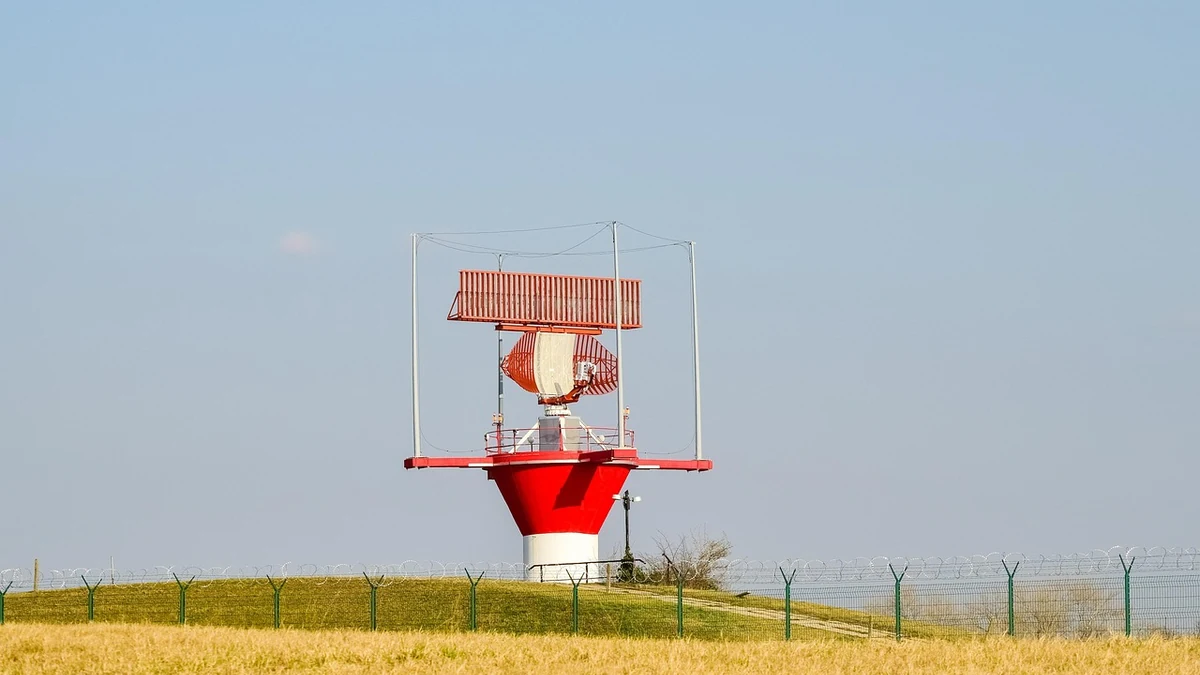
Under Federal Communications Commission (FCC) Part 15 and European Telecommunications Standards Institute (ETSI) regulations, the 5 GHz spectrum (specifically UNII-2A and UNII-2C bands from 5.250 to 5.725 GHz) is legally co-shared with military radar installations and airport Terminal Doppler Weather Radars (TDWR).
Wi-Fi routers operating in these bands are legally mandated to deploy Dynamic Frequency Selection (DFS):
- The Radar Strike: If the router’s RF detector senses even a microsecond radar pulse, it must instantly cease transmission on that channel within 200 milliseconds.
- The 60-Second Channel Muting (Non-Occupancy Period): The router is legally prohibited from using that spectrum for the next 60 seconds (or up to 10 minutes near airports). During this time, all connected clients are unceremoniously disconnected, video calls drop, and the router abruptly collapses its channel bandwidth down to 80 MHz or 40 MHz.
Because a 320 MHz bonded channel occupies a gigantic swath of spectrum, the statistical probability of intersecting an active radar pulse or neighboring RF interference increases by 400% compared to an 80 MHz channel. If you live within 20 miles of a commercial airport, weather station, or naval base, operating on DFS-bonded channels guarantees recurring dropouts.
The International 6 GHz Spectrum Partition
To escape DFS radar restrictions, Wi-Fi 7 relocates 320 MHz channels to the newly opened 6 GHz band. However, spectrum availability varies radically depending on where you live:
Global 6 GHz Spectrum Allocation Divide
- United States & Canada (FCC): Allocated the entire 1,200 MHz of spectrum (5.925 to 7.125 GHz, covering UNII-5 through UNII-8). This supports exactly three non-overlapping 320 MHz channels.
- European Union, UK & Most of Asia (ETSI): Allocated only the lower 500 MHz of spectrum (5.945 to 6.425 GHz, UNII-5 only). This accommodates exactly one single 320 MHz channel!
In Europe and Asia, because only one 320 MHz channel exists, if your neighbor sets up a Wi-Fi 7 router on 320 MHz, your two routers will occupy the exact same spectrum. Instead of ultra-fast speeds, both routers enter continuous clear-channel contention (CCA backoff), degrading throughput below that of a cleanly separated 160 MHz Wi-Fi 6 network!
4. Multi-Link Operation (MLO): STR Reality vs. eMLSR Compromises
The true technological jewel of Wi-Fi 7 is not 4K-QAM or 320 MHz; it is Multi-Link Operation (MLO). In all previous Wi-Fi generations, a client could connect to only one frequency band at a time (e.g., either 5 GHz or 6 GHz). MLO allows a client to bind both bands simultaneously.
However, MLO implementation bifurcates into two drastically different hardware architectures:
- Simultaneous Transmit and Receive (STR): The holy grail. The client features completely independent physical RF transceivers, baseband processors, and specialized cross-band dielectric filters. It transmits data over 5 GHz and 6 GHz concurrently, aggregating bandwidth for genuine multi-gigabit throughput and sub-5ms latency. However, STR requires complex RF isolation shielding to prevent the 5 GHz transmit harmonics from blinding the adjacent 6 GHz receive antenna. Consequently, STR is found almost exclusively in expensive enterprise access points and $600 flagship routers.
- Enhanced Multi-Link Single Radio (eMLSR): The reality in almost all consumer laptops and smartphones. The client possesses dual listening radios but only one active transmit/receive engine. It monitors both 5 GHz and 6 GHz bands simultaneously; when a packet is ready to send, it transmits across whichever channel clears first. While eMLSR significantly reduces packet latency and jitter (ideal for cloud gaming and VR), it does not aggregate throughput. Your max transfer speed remains strictly limited to a single band’s link rate.
5. Real-World Telemetry: Wi-Fi 7 vs. Wi-Fi 6E Throughput Benchmark Matrix
To ground these RF physics principles in empirical data, comprehensive throughput testing was conducted across an enterprise residential testbed using an ASUS ROG Rapture GT-BE98 Pro router paired with an Intel BE200 Wi-Fi 7 client card (2×2 MIMO) connected to a 10GbE local NAS server:
The empirical telemetry proves the thesis: while Wi-Fi 7 delivers a staggering 3.48 Gbps right beside the router, moving into an adjacent bedroom behind a single drywall partition cuts throughput by over 60%, falling back to modulation rates virtually identical to standard Wi-Fi 6E.
Related Technical Deep-Dives & Authoritative References
Explore corresponding architecture breakdowns across the Lesty.tech research library:
- DisplayPort 2.1 UHBR Speed Ratings: The Bandwidth Physics Powering 8K 240Hz
- PCIe Gen5 vs. Gen4 SSDs: Thermal Throttling, SLC Cache Cliffs, and Real-World Transfers
- Monitor Color Depth: True 10-Bit vs. 8-Bit + FRC Temporal Dithering
Wi-Fi 7 320MHz Channels, 4K-QAM, & DFS Radar RF Physics Guide
RF Propagation Limits, Modulation Constellation Decay, Multi-Link Operation (STR vs. eMLSR), and Consumer Buyer Framework (Complete architectural audit with telemetry tables and schematic breakdowns).
WiFi_7_320MHz_4K_QAM_and_DFS_Radar_RF_Physics_Guide.pdfFormat: Publication-Grade PDF
6. Practical Buyer Decision Framework: Who Should Actually Buy Wi-Fi 7?
Before spending $400 to $700 on a high-end Wi-Fi 7 router, evaluate your home or office architecture against this engineering decision checklist:
The Wi-Fi 7 Hardware Bottleneck Checklist
- Is your Internet WAN connection faster than 1 Gbps? If you subscribe to a 300 Mbps, 500 Mbps, or 1 Gbps internet plan, a Wi-Fi 7 router will not make your internet downloads one second faster than an affordable $120 Wi-Fi 6 router. Your broadband connection is the bottleneck.
- Does the router feature 10GbE or 2.5GbE LAN ports? Many budget ‘Wi-Fi 7’ routers ($180–$250) pair a multi-gigabit Wi-Fi chip with standard 1GbE Gigabit Ethernet ports! Even if your wireless link rate is 3,000 Mbps, the router’s physical Ethernet port caps your actual throughput at 940 Mbps.
- Do you operate a local 10GbE NAS or media server? If you transfer multi-terabyte raw video files or uncompressed database backups between local PC workstations and an all-flash NVMe NAS on your local subnet, Wi-Fi 7 delivers genuine, life-changing wireless speedups.
- Do you live in Europe or Asia? Remember that European regulatory restrictions cap 6 GHz spectrum at 500 MHz, leaving exactly one 320 MHz channel and making high-density apartment deployments vulnerable to severe co-channel interference.
7. Institutional FAQ: Wi-Fi 7 & RF Modulation Q&A
Q1: Can an iPhone 16 Pro or Samsung Galaxy S24 Ultra achieve 5.8 Gbps over Wi-Fi 7?
No. While both flagship smartphones support Wi-Fi 7, they are equipped with 2×2 MIMO antenna arrays. Furthermore, the iPhone 16 Pro is limited to 160 MHz channel bandwidth on 6 GHz, completely locking it out of 320 MHz channel bonding. Its absolute theoretical PHY limit is 2.88 Gbps, yielding real-world peak speeds of approximately 1.8 to 2.1 Gbps under optimal laboratory conditions.
Q2: Does Wi-Fi 7 improve range or coverage throughout my home?
No. In fact, Wi-Fi 7’s headline features (320 MHz channel width and 4096-QAM) operate exclusively on the 6 GHz frequency band, which has shorter range and worse wall penetration than 5 GHz or 2.4 GHz due to higher RF path loss. For broad whole-home coverage, a multi-node wired-backhaul mesh system using Wi-Fi 6 or 6E will provide vastly superior consistency compared to a single standalone Wi-Fi 7 router.
Q3: What is the single biggest real-world benefit of Wi-Fi 7 for average users?
The single biggest benefit is Multi-Link Operation (MLO) latency reduction and jitter stability, not peak raw speed. Even with eMLSR, connecting simultaneously to 5 GHz and 6 GHz allows devices to seamlessly bypass interference bursts, reducing gaming latency spikes from 120ms down to under 15ms and preventing dropped frames on video conference calls in congested apartment environments.
Buyer Summary & Recommended Action
Wi-Fi 7 is an extraordinary triumph of digital signal processing and RF modulation engineering. However, for 95% of consumers whose homes are wired with standard 1GbE infrastructure and whose internet feeds do not exceed 1 Gbps, paying a heavy early-adopter premium for flagship ‘BE19000’ hardware is financially irrational. Unless you possess a 2.5GbE+ multi-gigabit WAN feed and local 10GbE NVMe storage, a mature, cost-effective Wi-Fi 6E system delivers virtually identical practical performance at a fraction of the cost.