When Amazon acquired the AI wrist gadget known as Bee last year, the tech world took notice. I am someone who values privacy above convenience, so the promise of a wearable that records, transcribes, and summarizes your conversations felt more like a surveillance nightmare than a productivity dream. But curiosity got the better of me. I had to see if this device could actually make life easier without crossing too many ethical lines. After spending several days with the Bee wearable, I walked away both genuinely intrigued and deeply unsettled.
First Impressions: Putting on Amazon’s Bee Wearable
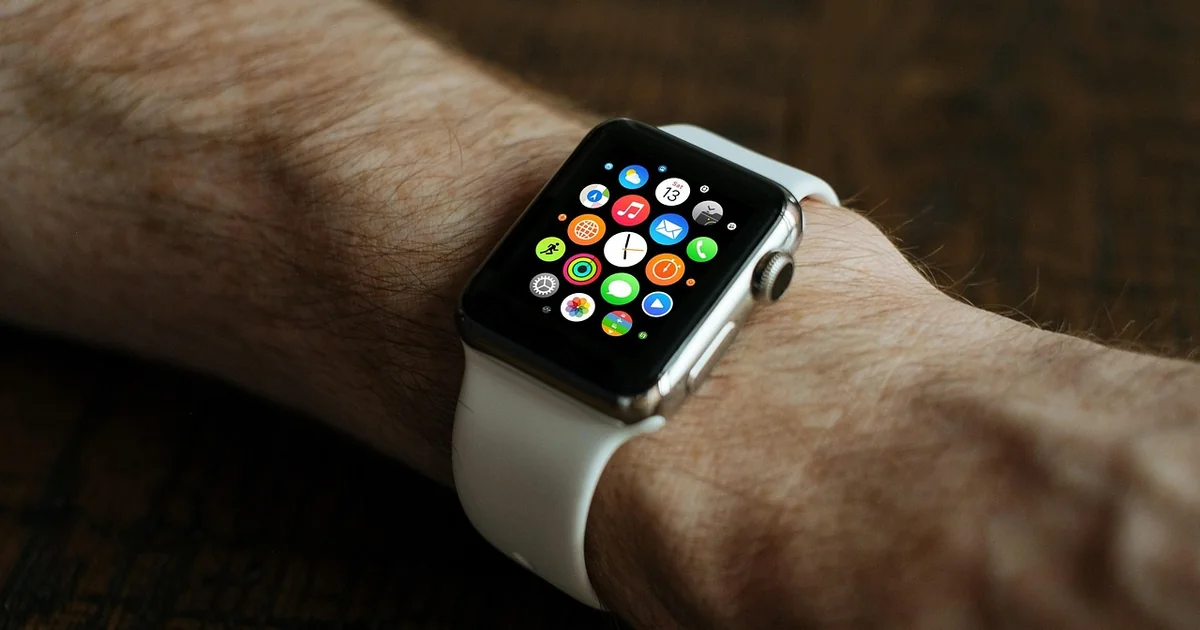
Unboxing the Bee felt straightforward. The device itself is a small, lightweight wristband with a single button and a discreet green LED light. The setup process, as described in my bee wearable review, took about ten minutes: power it on, sync it with the Bee mobile app, and enter some basic personal information like your name and calendar access. The app requested permissions for location, photos, phone contacts, calendar, and mobile notifications right away. That list gave me pause. But I pressed on, reminding myself that many apps ask for similar access.
The core function is simple. Tap the button to start recording. A green light blinks to signal it is active. Tap again to stop. The Bee then processes the audio in the cloud, generating both a full transcription and a digestible summary. You can review these in the app at any time. The entire concept is reminiscent of services like Otter or Granola, except Bee lives on your wrist instead of your phone or laptop.
How the Bee Wearable Actually Works
Under the hood, Bee uses automatic speech recognition and natural language processing to turn conversations into text. When connected to your calendar, it can also send alerts and reminders based on what it hears or what you have scheduled. According to Bee’s own documentation, the device relies on cloud processing for most tasks. Amazon has demoed a version that runs entirely locally on the device, but as of this writing, that feature has not been released. That distinction matters for privacy, and I will return to it later.
One detail that surprised me during my bee wearable review was the quality of the recordings. The microphone is sensitive enough to pick up multiple speakers in a room, but it struggles with background noise. At my local coffee shop, the Bee captured my conversation with a colleague, but the transcript was riddled with errors and missing sentences. On a quiet phone call, however, it performed admirably.
Testing Bee in Real Life: Professional Use Case
I started with a business-related phone call. Before hitting record, I asked the other participant for permission. Once I had verbal confirmation, I tapped the Bee button and proceeded with our thirty-minute discussion. After the call ended, the app presented a clean summary broken into segments: “Project timeline discussion,” “Budget constraints,” “Next steps.” Each section had a short paragraph of key points. The full transcript was also available, though I noticed it had omitted a few side comments and occasional filler words.
This experience was genuinely helpful. If you are a consultant, project manager, or anyone who juggles multiple meetings daily, Bee could save you from scribbling notes or trying to recall who said what. Yet, as I noted in my bee wearable review, this capability is not unique. Otter, Granola, and even Microsoft Teams’ built-in transcription offer similar features at a lower cost and without the need for a dedicated wearable. The convenience of having it on your wrist is real, but it is a small edge over existing tools.
Bee Wearable Review: The Creepy Side of Constant Recording
Where Bee became uncomfortable was during personal use. The company has largely marketed this device for everyday life—conversations with friends, family dinners, even casual hangouts. I decided to test that claim by wearing Bee to my semi-weekly movie night. My friends and I watched Quentin Tarantino’s Reservoir Dogs, a film filled with violent dialogue. I let the Bee run the entire evening. Afterwards, the app labeled the conversation “Tarantino Film Scene Analysis.” It had accurately identified that we were watching a movie, but the transcript captured our banter, laughter, and even snippets of the film’s audio. That felt invasive.
You may also enjoy reading: China Banned Nvidia 5090D V2 While CEO in Town.
The idea of walking around with an eavesdropping gizmo strapped to my wrist 24/7 was not appealing. I am a privacy enthusiast. According to a 2023 Pew Research Center survey, 62% of U.S. adults say they are very or somewhat concerned about how companies use their personal data. Bee demands extensive mobile permissions—location, contacts, calendar, photos—and stores your recordings in the cloud. Even if the recordings are encrypted both at rest and in transit, you are trusting Amazon with intimate details of your everyday life.
Privacy Protections: What Bee Claims vs. What We Found
During my bee wearable review, I looked closely at Bee’s privacy policy. The company states that data is encrypted and that they have protections in place to prevent unauthorized access. Bee also offers users the ability to delete past recordings manually from the app. However, the device currently relies on cloud processing. Amazon has mentioned exploring an on-device version that would keep all data local, but no timeline has been given. Until that feature arrives, every conversation you record is sent to remote servers for analysis.
That raises a fundamental question: are you comfortable with Amazon storing audio of your life? The company already has a vast ecosystem of smart speakers, Ring cameras, and cloud services. Adding Bee into the mix means another vector for potential data use—whether for improving AI models or, hypothetically, for targeted advertising (Amazon’s privacy policy does not rule out using data for product improvement). For someone like me, that trade-off is too steep for the convenience of automated note-taking.
Could Bee Work for You? Practical Considerations
Despite my reservations, I see a clear use case for Bee in professional settings. If you are a freelancer, therapist, journalist, or sales representative who moves between multiple conversations each day, Bee can act as a reliable assistant. The summaries are well-structured, and the ability to search past conversations is handy. To maximize privacy, consider these steps:
- Only use Bee during work-related events. Turn it off entirely when you are home or with family.
- Regularly delete recordings you no longer need. Bee allows manual deletion from the app.
- Disable unnecessary permissions in your phone settings. Bee does not need your photo library to transcribe calls.
- Inform anyone you record and get their consent. Many jurisdictions require two-party consent for recording conversations.
- Watch for updates on local processing. If Amazon releases an on-device version, that would significantly reduce privacy risks.
As of now, Bee is an early-stage product with promise but caveats. The hardware feels polished, and the software generally delivers what it promises. But the trade-off between convenience and privacy remains stark. My bee wearable review ends on a mixed note: this device could be a game-changer for productivity, but only if you are willing to let Amazon listen in. I would not recommend it for personal use until a fully local version arrives. Until then, I will stick with my phone’s voice memo app and good old-fashioned pen and paper.