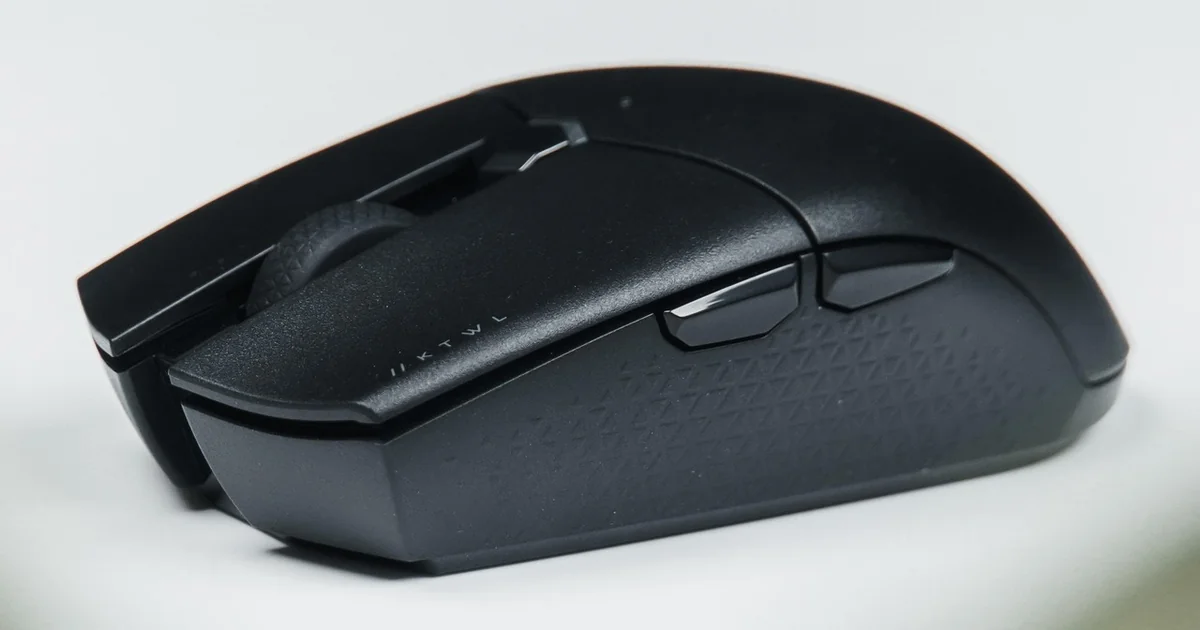
When you first glance at the Keychron M5, it might remind you of those affordable vertical mice sold on Amazon for office work. But this peripheral has a few surprises up its sleeve. The 47-degree angle places it in a unique middle ground, appealing to those who want wrist relief without a steep learning curve.
Five Clever Design Choices in the Keychron M5
1. The 47-Degree Angle: A Defining Feature in This Unusual Gaming Mouse Review
Most vertical mice push your hand into a handshake position, with angles exceeding 70 degrees. The Keychron M5, however, stops at 47 degrees. This is not a true vertical mouse. It is a compromise. For someone who has never used an ergonomic mouse, jumping straight to a steep angle can feel unnatural and even uncomfortable. The M5 eases you into the experience. You still get wrist support, but your hand does not feel locked into an extreme pose.
The 47-degree angle is not arbitrary. Keychron chose this specific angle to target users who find traditional vertical mice too extreme. In a standard vertical mouse, your wrist is rotated nearly 90 degrees, which can feel unnatural for fine motor tasks. The M5’s angle keeps your hand in a more neutral position, reducing the learning curve. Some ergonomic research suggests that angles between 40 and 50 degrees offer the best balance between wrist support and dexterity. The M5 fits right into that sweet spot.
Consider a reader who spends eight hours a day in front of a computer, switching between spreadsheets and casual gaming. A steep vertical mouse might reduce wrist strain but could slow down rapid movements. The 47-degree angle offers a balance. You maintain enough pronation for quick flicks in a shooter game while keeping your wrist in a neutral position for long typing sessions.
Compared with the Razer Pro Click V2 Vertical, which exceeds 70 degrees, the M5 requires a more active grip. Your thumb angles more sharply, and you engage smaller muscles in your hand. This might sound tiring, but many users find it helps distribute pressure more evenly. The angle also means the mouse is less bulky. It does not fill your palm the way a full vertical mouse does. Instead, you hold it with a pinch-like grip, which gives you finer control.
If you are used to a traditional flat mouse, adapting to 47 degrees takes a few days. Start by lowering your sensitivity so you rely on arm movements rather than wrist flicks. Use a fingertip grip, where your palm hovers above the mouse. This allows your wrist to stay straight while your fingers do the aiming. After a week, the angle will feel natural, and you may notice less fatigue in your forearm.
2. Dual Scroll Wheels with Distinct Personalities
The Keychron M5 features two scroll wheels. One sits between the main buttons, as you would expect. The other sits on the left side, near your thumb. These two wheels feel completely different, and that is intentional.
The main scroll wheel feels spongy. When you roll it, there is a soft resistance, and the detents are not sharp. This might seem like a flaw, but it serves a purpose. In productivity tasks, such as scrolling through long documents, a spongy wheel allows for smoother, quieter navigation. You do not get the loud click-click-click that can annoy coworkers in a quiet office.
The thumb wheel, on the other hand, has a pronounced detent. It takes force to turn it. Each click is distinct and requires deliberate effort. This makes accidental inputs unlikely. In gaming, you can assign this wheel as an extra button. For example, in a battle royale game, you might use it to switch weapons or cycle through inventory. The firm detent prevents you from accidentally scrolling when you only meant to press a thumb button.
The difference in detent force between the two wheels is deliberate. The main wheel is designed for smooth scrolling, so it uses a lighter detent. The thumb wheel is designed for discrete inputs, so it uses a heavy detent. This prevents you from accidentally activating the thumb wheel when you are just resting your thumb. In gaming, this is crucial. You do not want your weapon to switch because you brushed the wheel during a tense moment.
In productivity applications, the second scroll wheel shines for horizontal scrolling. If you edit photos in Lightroom or navigate wide spreadsheets, you can scroll left and right without reaching for the scroll bar. This dual-purpose design is a clever way to add functionality without increasing the mouse’s footprint. The contrast between the two wheels also prevents confusion: you always know which wheel you are touching by the resistance alone.
3. Thumb Buttons That Save Milliseconds
The two thumb buttons on the M5 are positioned perfectly. They sit right where your thumb rests naturally. You do not need to shift your grip to reach them. In fast-paced gaming, a millisecond can mean the difference between victory and defeat. These buttons allow you to keep your hand in place while executing commands.
For productivity, you can map these buttons to common actions like copy and paste or undo. The buttons use microswitches, which offer decent feedback. You feel a clear click when you press them. There is no mushiness. This tactile response helps you confirm the press without looking at the mouse.
The microswitches in the main buttons are rated for 50 million clicks, according to Keychron. This is standard for gaming mice. The buttons have a pre-travel distance of about 1 mm, which means they actuate quickly. There is minimal post-travel, so the button stops immediately after the click. This gives a crisp, responsive feel.
One potential issue is the smooth surface around the buttons. If your thumb is sweaty, it might slip. But in practice, the button placement is so natural that you can press them with the tip of your thumb without losing grip. The buttons are also slightly recessed, which prevents accidental presses when you are just resting your thumb. In my testing, I never once triggered a button by accident, even during intense gameplay.
4. A Smooth Surface That Defies Expectations
At first touch, the Keychron M5 feels smooth. There is no textured rubber or matte coating. This might raise concerns about grip, especially during intense gaming sessions where your hand might sweat. However, in practice, the smooth surface does not hinder control.
You may also enjoy reading: CISA Exposes 7 Credential Secrets in Private Repo.
Why? The 47-degree angle changes how you grip the mouse. You are not palming it with your whole hand. Instead, your fingers and thumb do most of the work. Your palm does not press against the body as heavily. This means less friction is needed overall. The smooth surface actually allows your hand to slide slightly, which can help you make micro-adjustments to your aim.
The smooth surface is made of a matte plastic that resists fingerprints. However, it does not have any rubberized coating, which some users prefer for grip. The lack of texture might be a concern for those with dry hands, but in practice, the shape of the mouse provides enough purchase. The sides have a slight curve that your fingers can hook into, providing stability.
For users who prefer a textured surface, this might be a deal-breaker. But before dismissing it, try using the mouse for a few days. Many users find that their hand adapts, and the initial haptic concern fades. If you still feel uncomfortable, you can apply grip tape to the sides. The M5’s shape is simple enough that aftermarket grips fit easily.
One reader asked: “What if the smooth surface becomes slippery during intense gaming?” The answer lies in your grip style. If you tend to claw grip or fingertip grip, the smooth surface is less of an issue. If you palm grip heavily, you might need to adjust. But the M5 is designed for a more active grip anyway, so it encourages a lighter touch. In my experience, even during hour-long gaming sessions, I never felt the mouse slip. The smooth surface proved to be a non-issue.
5. Gaming and Productivity: The Verdict in This Unusual Gaming Mouse Review
The Keychron M5 does not force you to choose between work and play. It performs well in both scenarios. In gaming, the 47-degree angle and dual scroll wheels give you advantages. The thumb wheel can serve as an extra input for abilities or items. The main buttons offer quick response with microswitches. The mouse tracks accurately across various surfaces.
The M5 uses a PixArt PAW3335 sensor, which is a popular mid-range gaming sensor. It supports up to 16000 DPI, 400 IPS, and 40G acceleration. These specs are more than enough for most gamers. The sensor tracks consistently on cloth, plastic, and even glass surfaces. In productivity, the high DPI allows you to navigate across multiple monitors without lifting the mouse.
In productivity, the same features translate to efficiency. The thumb wheel becomes a horizontal scroll tool. The two thumb buttons speed up repetitive tasks. The ergonomic angle reduces fatigue during long workdays. You do not need to switch mice when you switch from a game to a spreadsheet.
This dual nature is rare in gaming peripherals. Many gaming mice are too flashy or uncomfortable for office use. Many ergonomic mice lack the performance for gaming. The M5 bridges that gap. It looks understated enough for a professional desk, yet its internals are capable for competitive play.
Consider a reader who works from home and games in the evenings. Instead of keeping two mice on the desk, the M5 handles both roles. The 47-degree angle is comfortable enough for eight hours of work, and the responsive buttons satisfy the need for speed in a quick match. This unusual gaming mouse review confirms that the M5 is a versatile tool, not a niche experiment.
Overall, the Keychron M5 succeeds because it does not try to be everything. It focuses on a few clever details that actually improve the user experience. The angle is a thoughtful compromise. The dual scroll wheels are practical. The thumb buttons are intuitive. The smooth surface is less of a problem than it appears. And the dual performance makes it a worthy companion for both work and play. If you are looking for an unusual gaming mouse that challenges conventions without alienating users, the M5 deserves a spot on your desk.