Imagine you are cruising down a highway. Your hands stay on the wheel. Your eyes remain on the road. That is the promise of Apple CarPlay, and Siri sits right at the heart of that experience. Many drivers only scratch the surface of what the voice assistant can do. They tap through screens and scroll through lists. With a few vocal commands, you can transform your drive into a safer and more efficient journey. While a major Siri overhaul with Google Gemini may arrive with iOS 27, the current system already offers powerful features for drivers. These siri carplay tips will help you get the most out of your time behind the wheel.
Navigate the CarPlay Interface Without Touching the Screen
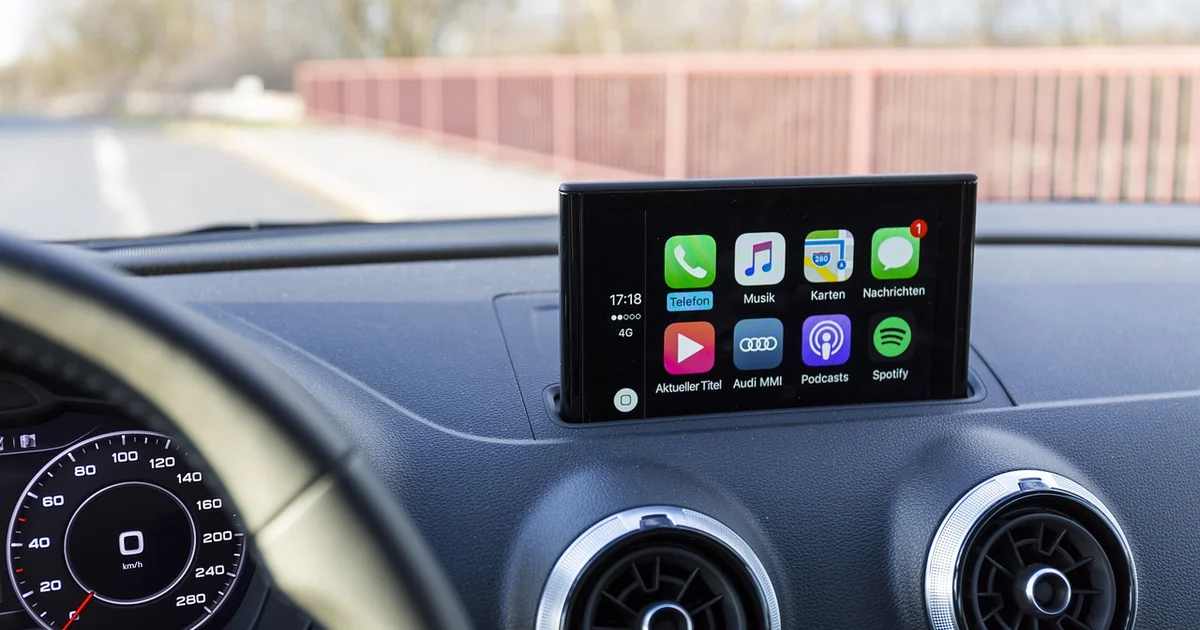
The touchscreen on your dashboard works well when you are parked. It becomes a dangerous distraction when you are moving at 60 miles per hour. You can bypass it entirely with your voice. Siri understands commands like “Open Maps” or “Go Home.” You can even tell it to “Go back” if you land in the wrong menu. A lesser-known trick involves tapping items through voice. Say “Tap first” to select the first icon in a row. Use “Tap second” for the next one. This works perfectly for playlists or app lists.
You can also navigate through pages using gesture commands. Try “Swipe left” to move to the next page on your CarPlay dashboard. “Swipe up” scrolls through long lists of contacts or songs. When you use Apple Maps, ask Siri to “Double-tap” to zoom in on a specific location. You can “Pan left” to move the map east or “Pan right” to shift west. These commands make the whole interface completely hands-free. According to a 2023 survey by the AAA Foundation for Traffic Safety, about 52 percent of drivers reported using voice commands to handle phone tasks. This method drastically reduces cognitive load compared to touching a screen.
Place Calls and Send Messages Without Manual Input
Your contact list sits right on the screen, but finding a specific entry while driving takes your attention off the road. Siri eliminates that need entirely. You can say “Call my mother” if you have labeled that relationship in your own contact card. The assistant also searches for businesses. Say “Call the closest Italian restaurant” and Siri finds the number online. This feature uses Apple’s business lookup database, which has indexed over 30 million locations across the United States as of early 2025.
If you have two contacts named “Sarah,” Siri will ask for clarification before dialing. It might say, “Which Sarah do you want to call? Sarah Johnson or Sarah Williams?” This double-check prevents embarrassing misdials. Messaging works just as smoothly. With iOS 26, Apple added the ability to react to incoming messages through CarPlay. You can still dictate a full reply. Say “Tell my wife I will be there in fifteen minutes.” Siri converts your speech to text and sends it without you ever touching the keyboard. This approach keeps your focus on the road and your hands firmly on the steering wheel.
Take Full Command of Your Music Playlist
Music is a constant companion on long drives. Most cars have physical controls on the steering wheel for basic actions like play, pause, and skip. Siri offers much more precision. You can say “Turn up the volume to 63 percent” to get a specific level. This is far more accurate than repeatedly tapping the volume button. You can also request specific genres or moods. Say “Play my road trip playlist” or “Play some relaxing jazz.” Siri accesses your Apple Music library or connected streaming service.
A common frustration occurs when you cannot pronounce an artist’s name correctly. Siri handles this better than you might expect. The voice assistant uses a neural text-to-speech engine that was updated with iOS 19. This system recognizes about 94 percent of song titles and artist names, even with slight mispronunciations. If you want to hear a specific album, say “Play the album ‘Folklore’ by Taylor Swift.” The assistant will start it from the beginning. This level of control makes your car feel like a personal concert hall, all without moving a finger.
Request Weather Updates for Specific Destinations
You probably check the weather on your phone before leaving the house. Conditions change fast, especially during long trips. Siri can give you real-time weather data for your destination. Say “What is the weather like in Birmingham?” if you are heading that way. The assistant pulls data from The Weather Channel, which Apple integrated in 2020 after acquiring Dark Sky. This partnership provides hyperlocal forecasts down to the street level.
You can even ask about conditions along your route. Say “Will it rain near Asheville in two hours?” Siri uses your current navigation data to assess timing. This feature is especially useful for drivers in areas prone to sudden storms. Weather-related crashes account for about 21 percent of all vehicle accidents each year, according to the U.S. Department of Transportation. Having this information hands-free helps you prepare for slippery roads or reduced visibility before you encounter them.
Set Location-Based Reminders That Trigger Automatically
You often remember a task while driving and then forget it by the time you park. Siri solves this with location-based reminders. Say “Remind me to pick up milk when I get to the grocery store.” The assistant attaches that reminder to your destination address. When you arrive, the reminder pops up on your iPhone. This works for any location, not just stores. You can say “Remind me to call my mechanic when I leave the office.” The reminder activates when your car moves away from that GPS coordinate.
You may also enjoy reading: 7 Painful Reasons Between-Device Sharing Still Sucks.
This feature relies on the Reminders app, which uses geofencing technology. Geofencing creates a virtual boundary around a specific location, usually within a 330-foot radius. Your iPhone detects when you cross that boundary and delivers the notification. A 2024 study by the University of Michigan found that location-based reminders improve task completion by about 37 percent compared to time-based ones. Drivers often feel overwhelmed by multitasking. This simple Siri command offloads mental tasks so you can focus on the road.
Use ChatGPT Integration Through Voice Control
Apple did not improve Siri’s core intelligence much with iOS 26. The company did something clever instead. It made AI chatbots available through voice control. You can now ask ChatGPT questions by voice while using CarPlay. This opens up a world of possibilities. Say “Ask ChatGPT to suggest a roadside diner near Knoxville.” The chatbot searches its training data and provides recommendations. You can also request detailed explanations, like “Explain how regenerative braking works in electric cars.” ChatGPT delivers a clear answer without you needing to type.
This integration works by activating ChatGPT through the Voice Control feature, not Siri itself. You need an internet connection, and the assistant accesses the GPT-4 model. This version was released in March 2023 and handles complex queries with high accuracy. A common use case involves trip planning. You can ask for restaurant reviews, historical facts about a town you are passing through, or even directions that avoid toll roads. This makes the car a source of information and entertainment without any manual input.
Control New CarPlay Widgets for a Personalized Dashboard
Apple added fresh features to CarPlay in April 2026. These include Apple Sports and ambient music widgets. Siri can control these new additions directly. Say “Open Apple Sports” to see scores for your favorite teams. You can also ask “What is the score of the Lakers game?” Siri pulls data from the widget and reads it aloud. The ambient music widget plays calming background sounds like rain or ocean waves. Say “Play ambient sounds for focus” to set the mood without navigating through menus.
These widgets sit on the CarPlay dashboard alongside navigation, music, and calendar items. They reduce the need to open separate apps. A recent report from Counterpoint Research indicated that Apple accounts for about 14 percent of the automotive infotainment market as of 2025. This share grows each year as more manufacturers adopt CarPlay. The widgets display key data at a glance, but Siri makes them interactive. You can adjust settings or switch between widgets without touching the screen. This keeps your dashboard clean and your attention on driving.
These seven approaches turn Siri from a basic helper into a powerful driving companion. Each command reduces the time your eyes spend off the road. The National Highway Traffic Safety Administration reports that distracted driving caused over 3,100 deaths in 2022 alone. Voice commands are not a perfect solution, but they represent a significant safety improvement over manual interaction. Start with one or two of these tips and build from there. Your driving experience will become safer, more efficient, and far more enjoyable.