As the world becomes increasingly interconnected, our living spaces have become hubs for entertainment, communication, and productivity. With the proliferation of smart devices, streaming services, and gaming consoles, home theaters have evolved into central gathering points for families and friends. However, this convergence of technology and lifestyle has also created a pressing need for effective cable management. Hidden behind the sleek designs and vibrant displays, a tangled web of HDMI cables can quickly turn a home theater into a chaotic mess.
Streamlining Your Home Theater Experience
When designing a home theater, one of the most significant challenges is managing the complex network of cables and connections. A messy setup can detract from the overall aesthetic, create tripping hazards, and even lead to signal degradation. By incorporating the right HDMI gadgets, you can transform your home theater into a sleek, high-performance space that elevates the viewing experience for everyone involved.
Understanding HDMI Cables and Connections
Before we dive into the gadgets themselves, it’s essential to grasp the basics of HDMI technology. HDMI cables transmit high-definition video and audio signals between devices, making them a crucial component of modern home theaters. The latest HDMI standards (HDMI 2.1) support up to 48 Gbps bandwidth, enabling 8K resolution at 60 Hz or 4K at 120 Hz. When choosing an HDMI gadget, consider the number of HDMI ports you need and the type of devices you’ll be connecting (e.g., consoles, Blu-ray players, or streaming devices).
Key Features to Look for in HDMI Gadgets
When selecting an HDMI gadget, pay attention to the following features:
- Number of HDMI ports: Ensure the device has enough ports to accommodate all your devices, considering future upgrades or additions.
- HDMI version: Opt for an HDMI gadget with the latest version (HDMI 2.1) for the best performance and compatibility.
- Cable management: Look for devices with built-in cable management features, such as cable ties, clips, or routing systems.
- Power supply: Check if the device requires an external power source or can be powered directly from your TV or other devices.
5 Game-Changing HDMI Gadgets To Help Organize Your Setup
Now that we’ve covered the basics, let’s explore five innovative HDMI gadgets designed to simplify your home theater setup:
1. HDMI Over CAT5/6 Extenders
Imagine having the freedom to place your devices anywhere in the room without worrying about cable length or signal degradation. HDMI over CAT5/6 extenders use Ethernet cables to transmit HDMI signals up to 100 meters, making them ideal for long-distance connections. These extenders are also incredibly versatile, supporting multiple devices and formats, including 4K and HDR.
When choosing an HDMI over CAT5/6 extender, consider the following factors:
- Distance: Calculate the maximum distance between your devices and the extender’s location.
- Number of devices: Ensure the extender can support the number of devices you plan to connect.
- Format support: Verify that the extender supports the specific formats you need, such as 4K or HDR.
2. HDMI Switches with Built-in Cable Management
With an HDMI switch, you can connect multiple devices to a single HDMI port, making it easier to manage your setup. Look for switches with built-in cable management features, such as cable ties or clips, to keep your cables organized and clutter-free. Some switches even include USB ports for powering devices or charging your mobile devices.
When selecting an HDMI switch, consider the following factors:
You may also enjoy reading: "11 Sneaky iPhone 18 Specs That Might Just Cost You a Performance Boost".
- Number of HDMI ports: Ensure the switch has enough ports to accommodate all your devices.
- Cable management features: Look for switches with built-in cable management features to keep your cables organized.
- Power supply: Check if the switch requires an external power source or can be powered directly from your TV or other devices.
3. Wireless HDMI Transmitters and Receivers
Imagine having the freedom to place your devices anywhere in the room without worrying about cables. Wireless HDMI transmitters and receivers use Wi-Fi or Bluetooth to transmit HDMI signals, making them perfect for streaming devices or gaming consoles. These devices are also incredibly easy to set up and use, with many featuring intuitive apps for configuration and control.
When choosing a wireless HDMI transmitter and receiver, consider the following factors:
- Range: Verify that the transmitter and receiver have a reliable range to ensure a stable connection.
- Format support: Ensure the device supports the specific formats you need, such as 4K or HDR.
- Latency: Check the device’s latency to ensure a smooth and seamless viewing experience.
4. HDMI Cable Management Systems
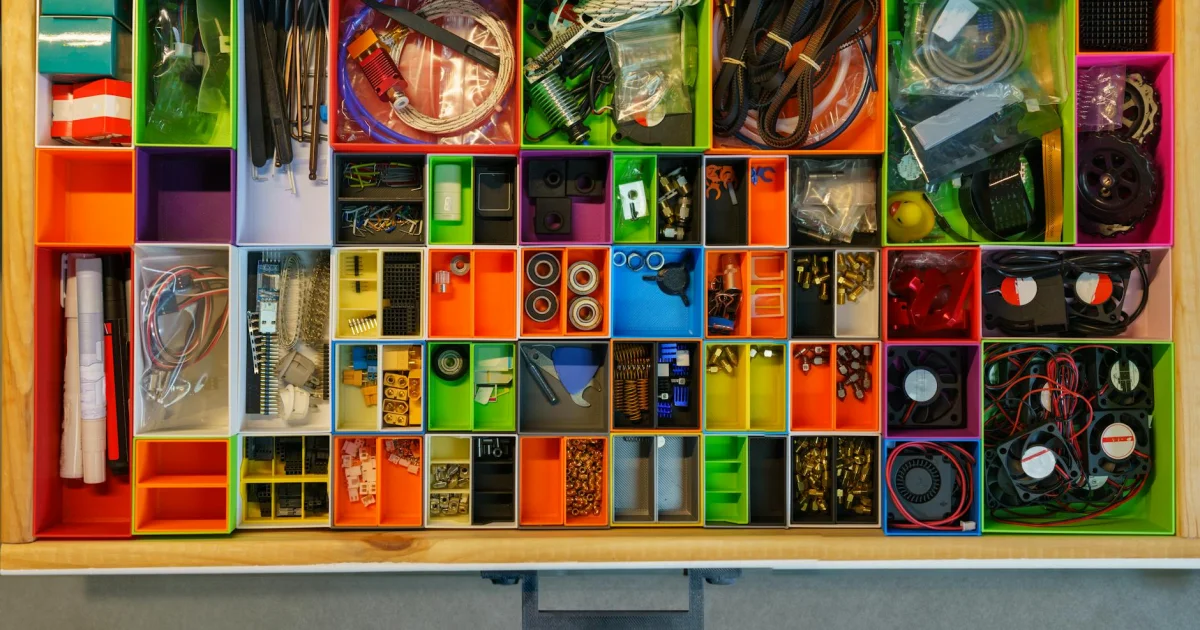
A well-designed HDMI cable management system can transform your home theater into a sleek and organized space. Look for systems that include cable ties, clips, or routing systems to keep your cables neatly organized and out of the way. Some systems even include additional features, such as cable organizers or cable concealment systems.
When selecting an HDMI cable management system, consider the following factors:
- Number of cables: Ensure the system can accommodate the number of cables you need to manage.
- Cable types: Verify that the system supports the types of cables you need to manage, such as HDMI or USB.
- Installation ease: Choose a system that is easy to install and requires minimal effort.
5. HDMI Hubs with Built-in Power Supply
With an HDMI hub, you can connect multiple devices to a single HDMI port, making it easier to manage your setup. Look for hubs with built-in power supply to power devices directly from the hub, eliminating the need for external power sources. Some hubs even include additional features, such as USB ports or audio outputs.
When selecting an HDMI hub, consider the following factors:
- Number of HDMI ports: Ensure the hub has enough ports to accommodate all your devices.
- Power supply: Verify that the hub has a built-in power supply to power devices directly.
- Format support: Ensure the hub supports the specific formats you need, such as 4K or HDR.