Every teacher knows the feeling. It is late at night, the house is quiet, and you need to write a comment about a student that matters. The words are right there in your head, but they refuse to come out in the right order. Your thoughts race ahead faster than your fingers can type. You start a sentence, delete it, start again, and end up with a blank page at two in the morning.
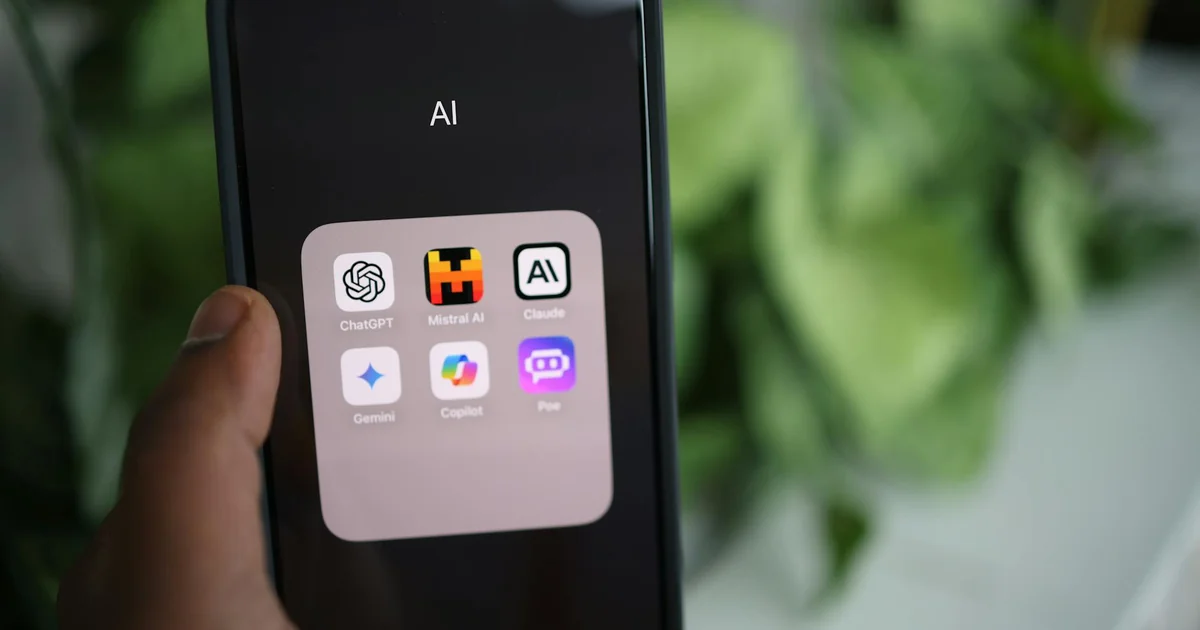
That was my reality for years. I am Mark, a middle-school teacher, and my brain runs a mile a minute. Getting what is actually inside my head onto the page has always been the hardest part of the job. So I built something to fix it. Bidet AI is an Android app that turns spoken brain-dumps into clean writing. It runs entirely on your phone, fully offline, and it works on hardware that is three years old. The bidet ai app does not summarize what you say. It organizes your actual words and fills in the context other people need, so the final result reads like you on a good day.
The Problem That No One Talks About
Most writing tools assume your thoughts arrive in neat, orderly paragraphs. They assume you sit down, know exactly what you want to say, and type it out cleanly the first time. That assumption leaves a lot of people behind.
For someone with ADD, the gap between what the brain wants to express and what actually lands on the page can feel impossible to bridge. Thoughts arrive as a flood. One idea triggers three more. A tangent about a classroom project suddenly connects to a memory from last semester. The core message gets buried under the noise.
The standard advice is to just write a rough draft and edit later. But when your rough draft is a jumble of half-finished sentences, circling back to edit feels like trying to untangle a knot of Christmas lights in the dark. You do not even know where to start.
Why Voice Typing Alone Is Not Enough
Voice typing helps with speed. You can talk faster than you can type. But raw dictation captures every stutter, every repeated word, every abandoned thought. It preserves the mess. You still have to go back and edit the transcript yourself, which brings you right back to the same blank-page problem, just in audio form.
What people actually need is a tool that does the organizing work. Something that listens to the ramble, understands what the core message is, and reshapes it without losing the speaker’s voice. That is where the bidet ai app changes the game.
How the App Turns Messy Speech into Clean Writing
The app works in two clear stages. First, it captures your speech and turns it into text. Second, it restructures that text into readable writing. Both steps happen entirely on your phone, with no data ever leaving the device.
Stage One: Capture Without Limits
Most voice recording tools impose a time limit. They cut you off after thirty seconds or a minute, which forces you to organize your thoughts into short bursts. That is the opposite of helpful when your brain is in full flow.
The app uses a foreground capture service that records at 16 kHz audio with overlapping windows and a rolling backbuffer. In plain language, that means you can talk for as long as you need. Five minutes. Fifteen minutes. Half an hour. The recording keeps going. You can ramble, repeat yourself, go off on tangents, and circle back to your main point. Nothing gets cut off.
Once you stop recording, the app runs an on-device transcription path. It uses a bundled model called Moonshine-Tiny v2, which has about 27 million parameters. That is tiny by modern AI standards, but it is optimized for English speech recognition. The app runs this through the sherpa-onnx runtime, which is a fast inference engine designed for on-device use. A deterministic fuzzy de-duplication step stitches the overlapping chunks of audio into one clean transcript.
Stage Two: Restructuring Without Summarizing
This is where the real magic happens. The raw transcript goes through a Gemma 4 model running entirely on your phone. The model does not summarize your words. It organizes them. It identifies the main thread, pulls in the relevant tangents, and arranges everything into coherent paragraphs. It fills in the context that a reader would need to understand what you meant.
The result is writing that sounds like you, but cleaner. It reads the way you sound on a good day, when the words finally come out the way you intended. There are two versions of the output. One is cleaned for your own reference, keeping your voice and internal shorthand. The other is cleaned for other people to read, with the context filled in so nothing is lost.
The Constraint That Made Everything Work
Running everything on-device was not a tech flex. It was the whole point of the project. The comments I write are about real students. They are specific, candid, and sometimes hard to write. There is no version of me that uploads that raw material to someone else’s server to get cleaned up.
Privacy in this context is not a policy you trust. It is a physical fact about where the computer is. The bidet ai app sends nothing anywhere on its own. The only thing that ever leaves the phone is what you choose to share. No telemetry. No analytics. No phone-home calls. The only network call the app ever makes is a one-time, optional model download if you choose to update the language model.
Why Running on Old Hardware Matters
Cloud-based tools create an equity problem. A service that requires a fast internet connection and a monthly subscription serves people who can afford both. A tool that runs on a phone someone already owns serves everyone else.
The app runs on a three-year-old phone without any trouble. The Gemma 4 E2B model takes a couple of minutes to cold-load the first time, which is honest about the hardware constraint. But once it loads, it runs smoothly. The app uses a single shared LiteRT-LM engine provider that manages memory carefully, so a 2-billion-parameter language model and a small speech recognition model can coexist on an old device without running out of memory.
What the Demo Shows You
The demo video runs for 2 minutes and 43 seconds. It walks through the entire workflow using a real story from my own teaching experience. The key detail is that the demo was shot with airplane mode visibly switched on. No Wi-Fi. No cellular data. The speech model and the Gemma 4 model both keep running without any network connection.
The cleaned, organized output appears with the device fully offline. That is not a trick or a staged result. It is the normal behavior of the app. The time compression in the video is honest about the cold-load delay, but the core functionality is demonstrated in real conditions.
The Model Choice Was Deliberate
Gemma 4 comes in several variants. The E2B version is the smallest one, explicitly built for edge deployment and ultra-mobile devices. It is the only flavor that fits the constraint of running on a three-year-old phone while still doing genuinely good restructuring work.
Picking E2B was not the default choice. It was the deliberate one. A larger model would produce better results in a lab environment, but it would not run on the hardware that most people actually own. The E2B model makes a trade-off. It trades a small amount of output quality for the ability to run anywhere. That trade-off is worth making when the alternative is excluding everyone who does not have a flagship phone and a fast data plan.
How the App Manages Memory
Running two AI models on a single device creates a memory challenge. The app solves this with a carefully designed engine provider. It uses one engine per process with an NPU-to-CPU backend fallback on Tensor G3 chips. A mutex-guarded single-load state machine prevents the models from competing for resources. The result is that both models can co-reside in memory without causing the phone to crash or slow down.
This engineering matters because it makes the app usable in real conditions. It is not a proof of concept that works only in a controlled demo. It is a daily driver that handles the messy reality of a teacher’s workflow.
What Makes This Different from Other Writing Tools
Most AI writing tools work like a black box. You type something in, it sends your text to a server somewhere, and a response comes back. You have no idea what happens in between. Your words sit on someone else’s infrastructure, subject to their privacy policy and their data retention rules.
The bidet ai app flips that model. The black box is your phone. Your words never leave your pocket. The processing happens in the same device that you use for texting and browsing. If you choose to share the cleaned output, that is your decision, made after you have seen the result.
You may also enjoy reading: 5 Ways to Add Capabilities to Cheap Solar Modules.
The Emotional Difference
There is a real psychological difference between typing into a cloud service and speaking into a local app. When you know your words are being processed on your own device, you speak more freely. You do not censor yourself. You do not worry about how the raw material sounds before it gets cleaned up.
For sensitive writing like student comments, that freedom matters. You need to be honest about what you observe. You need to capture the specific details that will help the next teacher understand the student. If you are editing yourself as you speak, you lose those details. The app lets you speak without filters because the filter comes after, and it stays in your hands.
Practical Use Cases Beyond Teaching
The app was built for my own classroom needs, but the pattern applies to many situations. Anyone who needs to turn spoken thoughts into clean writing can benefit from this workflow.
A manager preparing performance reviews can speak the raw observations and let the app organize them into professional feedback. A writer working through a complex idea can ramble through the logic and get back a structured outline. A student processing lecture notes can dictate their understanding and receive a cleaned summary for review.
The common thread is that the person has something valuable to say, but the act of writing gets in the way. The app removes the friction of organizing thoughts while you are still forming them.
How to Use the App in Practice
Using the app is straightforward. You open it, hit the record button, and start talking. You do not need to plan what you will say. You do not need to worry about structure or grammar. You just speak naturally, the same way you would talk to a colleague who understands your context.
When you finish, the app transcribes your speech and then runs the cleanup pass. The result appears as a block of text. You can read it, edit it further if you want, and then copy it wherever you need it. The entire process takes about as long as the original recording plus a short processing delay.
The Code Is Open for a Reason
The source code for the app is public on GitHub under the Apache 2.0 license. Anyone can read it, audit it, or build on it. The project forks Google’s AI Edge Gallery, which provides the shell for model download and lifecycle management. The original engineering work is the capture-and-restructure pipeline that sits on top of that shell.
The public repository is a curated extract that drops inherited UI, storage, download, and branding code. This makes the Gemma 4 work easy to read without wading through unrelated boilerplate. The exact upstream commit is pinned in the repository, with full attribution in the license files.
This openness matters for trust. You do not have to take my word for how the app works. You can read the code yourself. You can verify that no data leaves the device. You can see exactly how the models are loaded and how the memory management works.
What the App Does Not Do
It is important to be clear about the limits. The app does not generate new content from nothing. It works with what you actually said. If you did not mention something in your recording, it will not appear in the output. The restructuring fills in context that a reader would need, but it does not invent facts.
The app does not write your thoughts for you. It organizes them. The ideas and the voice are yours. The app just removes the clutter so the ideas can be seen clearly.
The cold-load time is real. The first time you use the app after installing it, or after a phone restart, the Gemma 4 model takes a couple of minutes to load. This is honest about the hardware constraint. Subsequent uses are faster because the model stays in memory.
Why This Approach Matters for the Future
The trend in consumer AI has been toward bigger models running in massive data centers. That trend leaves a lot of people behind. It assumes everyone has fast internet, a recent phone, and the budget for subscriptions. It also assumes everyone is comfortable sending their private thoughts to a server.
Local AI offers a different path. It is not about matching the raw capability of cloud models. It is about making AI useful for the people who need it most, on the hardware they already own, with the privacy they deserve.
The bidet ai app is a small example of that philosophy in action. It does one thing well. It turns messy speech into clean writing. It does it on a three-year-old phone. It does it without sending anything to the internet. It does it because the person who built it needed it to exist.
That is the kind of tool that actually helps people get their work done.