A New Era for In-Car Technology
The dashboard of your car is about to become far more intelligent. For years, Android Auto has offered a familiar way to bring apps, navigation, and communication into the vehicle. But 2026 marks a turning point. Google is rolling out a series of changes that touch almost every layer of the experience — from how the interface looks to what the assistant can tell you about your vehicle. They represent a fundamental shift in how drivers and passengers interact with their cars.

If you commute daily, shuttle kids around, or earn income as a rideshare driver, these updates will change your routine. Let us walk through the seven most significant transformations arriving this year.
1. Screens of Any Shape Finally Work
Car manufacturers love unconventional display designs. Some dashboards feature wide aspect ratios. Others use rounded corners, cutouts, or even trapezoidal shapes. Until now, Android Auto often left blank space around these unusual panels. Portions of the screen sat unused, which felt like a missed opportunity.
Google has solved this with adaptive screen rendering. Android Auto now detects the exact dimensions and shape of your display. It fills every pixel, even on a weird polygon screen. The interface stretches, contracts, and reflows automatically. For daily commuters, this means no more wasted space. Maps appear larger. Buttons remain easy to tap. The experience looks as if the manufacturer designed it specifically for that vehicle.
Rideshare drivers will appreciate the extra real estate for navigation and passenger information. Parents who use the screen to manage music or climate controls will find the layout more intuitive. The change seems subtle, but it eliminates an annoyance that has bothered users for years.
2. A Fresh Look with Material 3 and Immersive Navigation
What you see on that screen will be different, too. Android Auto is getting a makeover with greater support for Material 3 Expressive themes. Colors, typography, and iconography now adapt to your phone’s wallpaper or your personal preference. The result is a dashboard that feels cohesive with the rest of your digital life.
More importantly, Google is finally rolling out Immersive Navigation. This feature was announced earlier this year and is almost ready to reach actual users. Instead of a traditional map view with a small media window, Immersive Navigation blends the map, directions, and relevant controls into a single, visually rich layout. Turn-by-turn indicators overlay the map more naturally. Points of interest appear without cluttering the view. The system learns which information you need most at each point in your journey.
For a driver navigating an unfamiliar city, this reduces cognitive load. You spend less time glancing between separate panels and more time watching the road. The upgrade makes navigation feel less like using an app and more like having a co-pilot.
3. Widgets Bring Glanceable Information to the Dashboard
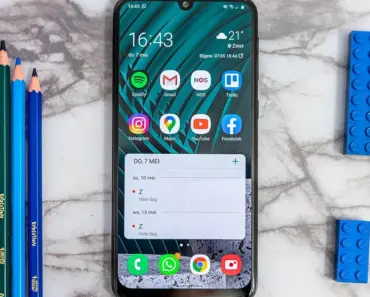
Accessing data from other apps in the car will be easier as well due to the addition of widgets. Google says there will be widgets for contacts, weather, and select third-party apps. These are not full app windows. They are small, focused panels that show the information you need at a glance.
Imagine pulling into your driveway and seeing a widget with a reminder about tomorrow’s early meeting. Or checking the weather for your destination without opening a separate app. For rideshare drivers, a contacts widget means one tap to call a passenger or alert them about arrival time. Third-party support also opens the door for smart home controls, package tracking, or calendar snippets.
The key here is that widgets reduce distraction. The information appears without requiring navigation through menus. Android Auto surfaces what matters based on context, which is a smarter way to handle in-car data.
4. Vehicle Cameras Plug into Maps for Smarter Guidance
For cars with Google built in, the vehicle’s cameras will plug into Maps to provide more accurate lane guidance. This is one of the most technically impressive android ai overhauls 2026. The system uses the car’s existing camera hardware — the same sensors that assist with lane keeping or parking — to understand your exact position on the road.
When approaching a complex interchange, Maps will not just tell you which lane to use. It will confirm your position visually and adjust guidance in real time. If you drift slightly left or right, the system corrects the instruction. This matters most in dense urban areas where highway exits come in quick succession.
The integration also improves arrival accuracy. The camera can detect parking lot entrances, one-way streets, and temporary road closures that traditional GPS might miss. For anyone who has missed a turn because the map was a few meters off, this feels like a genuine leap forward.
5. Gemini Becomes Your Car’s Co-Pilot
Gemini will also be able to answer questions about the vehicle’s status, including warning lights and cargo capacity. This goes far beyond what current assistants can do. Instead of simply reading a notification, Gemini taps into the car’s onboard diagnostics data.
Say a yellow engine light appears on your way to work. Instead of fumbling for the owner’s manual, you ask Gemini what it means. The assistant provides a plain-language explanation and suggests whether you need immediate service. It can also tell you how much weight your roof rack can carry or whether your tire pressure is within safe limits.
For families, this is a practical safety net. A parent loading the car for a road trip can confirm cargo capacity without guessing. For rideshare drivers, quick answers about warning lights mean less downtime and fewer unexpected repair visits. Gemini transforms the assistant from a voice command tool into a genuine source of vehicle knowledge.
6. Media Apps Get Long-Overdue Redesigns
Android Auto media apps have hardly evolved over the years, but 2026 will bring some notable changes. Popular apps like YouTube Music and Spotify are getting design overhauls that make them easier to use in the car. The focus is on reducing visual clutter and making primary actions accessible with minimal taps.
Albums and playlists now appear in larger thumbnails with high-contrast text. Play, pause, and skip buttons sit in fixed positions that do not shift when the layout changes. Search results prioritize recent listens and curated suggestions. The goal is to let you find your next track or podcast without taking your eyes off the road for more than a split second.
You may also enjoy reading: 7 Ways AWS Lets Agents Drive Virtual Desktops.
Podcast apps are receiving similar treatment. Episode descriptions are truncated intentionally, and playback speed controls move to a secondary menu. The interface assumes you are not browsing — you are selecting and going. For daily commuters who switch between music, news, and podcasts, these refinements reduce friction significantly.
7. Video Playback Finally Arrives (While Parked)
Video playback is also coming to Android Auto for the first time. Naturally, this will only work when you are parked and using a supported app like YouTube. Google says Android Auto will switch seamlessly to audio-only mode when you start driving, but this requires buy-in from automakers for safety and technical reasons.
For parents waiting in the school pickup line or charging their electric vehicle, this is a welcome addition. Kids can watch a show on the dashboard screen while the car stays stationary. The experience mirrors what passengers already do on phones and tablets, but now it integrates with the larger display.
The video to audio transition is the clever part. When the vehicle starts moving, playback automatically shifts to audio only. The screen returns to navigation or media controls, and the content continues through the car’s speakers. The driver never has to fumble with controls or explain to passengers why the video stopped. This transition is not automatic in every car yet. It requires automaker cooperation. Supported brands so far include BMW, Ford, Genesis, Hyundai, Kia, Mahindra, Mercedes-Benz, Renault, Škoda, Tata, and Volvo. More vehicles may come later.
What These Changes Mean for Different Drivers
Each of these seven updates addresses a specific pain point. For the daily commuter, adaptive screen rendering and Immersive Navigation make the drive smoother. For the parent running errands with kids, widgets and video playback offer convenience and entertainment. For the rideshare driver juggling navigation, passenger communication, and media, the combination of camera integration, Gemini assistance, and redesigned apps creates a more efficient workflow.
The common thread is intelligence. These android ai overhauls 2026 do not just add features. They learn from context, adapt to hardware, and anticipate needs. The car becomes a more natural extension of your digital habits rather than a separate environment with limited capabilities.
Practical Questions You Might Have
Will my current car support the new Android Auto features like video playback and camera integration?
Compatibility depends on several factors. For screen adaptation and Material 3 themes, most vehicles that already support Android Auto over a wired or wireless connection should receive these updates through the app on your phone. The changes happen on the software side.
Video playback and camera integration require deeper hardware and automaker support. If your car is on the list of supported brands — BMW, Ford, Genesis, Hyundai, Kia, Mahindra, Mercedes-Benz, Renault, Škoda, Tata, and Volvo — you have a good chance. Even then, the specific model year matters. Vehicles manufactured in or after 2024 are more likely to have the necessary hardware. Check with your dealer or the Android Auto compatibility page for your exact model.
How do I set up Gemini to answer questions about my car’s warning lights and cargo capacity?
Setup is straightforward once your car supports the feature. Ensure your vehicle’s infotainment system has the latest firmware. On your phone, open the Android Auto settings and look for the section labeled “Vehicle data” or “Gemini integration.” You may need to grant permission for the assistant to access the car’s diagnostic system.
Once enabled, simply say “Hey Google, what does this warning light mean?” while the car is running and the light is active. For cargo capacity, phrase the question like “How much weight can I carry?” or “What is the cargo capacity of this vehicle?” The assistant pulls the answer from the manufacturer’s specifications stored in the system.
Why does video-to-audio transition require automaker buy-in and how will it work in practice?
The transition is not purely a software handoff. It requires the car’s system to detect motion start reliably — not just GPS movement, but physical motion from wheel sensors. Automakers must implement a trigger that signals Google’s software when the vehicle switches from park to drive. There are also safety regulations to satisfy. Displaying video while the car is in motion is illegal in many jurisdictions. Automakers must certify that the transition meets local laws.
In practice, you will park, open YouTube, and play a video. The video fills the dashboard screen. When you shift into drive, the screen immediately returns to navigation or media controls. The audio continues playing through the car’s speakers without interruption. If the system supports it, a small indicator shows that audio playback is still active. You never lose your place in the content.
A Smarter Dashboard Ahead
The seven biggest android ai overhauls 2026 represent years of refinement. Google listened to frustrations about wasted screen space, cluttered navigation, limited assistant capabilities, and stagnant media apps. The fixes are not theoretical. They are rolling out now or arriving in the coming months. If you spend any time behind the wheel with your phone connected, your dashboard is about to become more capable, more adaptable, and more helpful than ever before.