Why I Decided to Give My AI a Physical Body
For months, my OpenClaw agent lived purely in code. It answered questions, wrote scripts, and reasoned about abstract problems. But something felt incomplete. An intelligence that cannot touch the world is like a musician who can only imagine sound. I wanted to see if the same model that helped me debug Python could learn to manipulate a physical object. So I bought a prebuilt robot arm called a LeRobot 101, part of an open-source project from HuggingFace that makes hobbyist robotics relatively affordable. What followed surprised me more than almost anything I have seen in AI so far. The agent configured the arm, used its camera to locate objects, and even helped train a second model to pick and place specific items. Here are the five concrete steps that turned my disembodied ai agent robot arm into something that can actually wave hello.
The Five Steps That Brought My OpenClaw Agent to Life
Each phase presented its own puzzle. Some were about hardware. Others were about software and trust. By the end, I had a working robot that could see, reach, and grasp on command.
1. Selecting a Robot Arm That Would Not Break My Budget or My Spirit
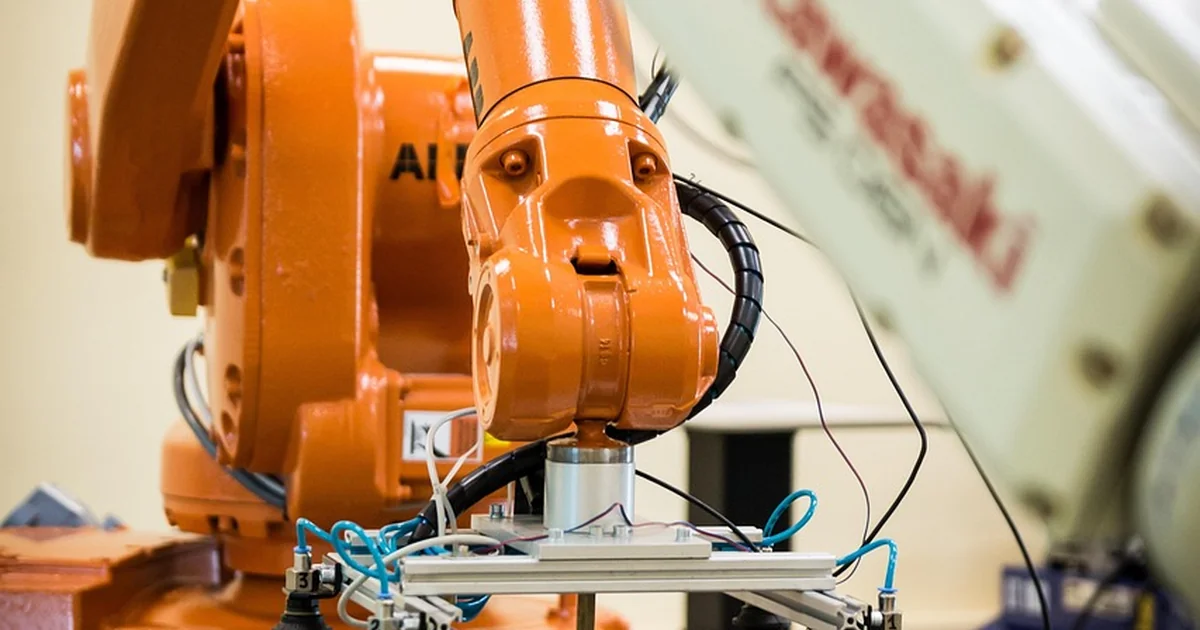
The first hurdle was choosing a platform that would not require a university lab budget or a background in electrical engineering. I looked at several options. Industrial arms from brands like Fanuc or Universal Robots cost thousands of dollars and demand specialist knowledge to operate safely. Hobbyist kits like the Arduino-based robotic arms are cheaper but often lack the precision and software support needed for AI experimentation. The LeRobot 101 struck a useful middle ground. It costs a fraction of an industrial arm and arrives mostly assembled. The design comes from a collaboration between HuggingFace and a community of open-source robotics enthusiasts. The kit includes two arms rather than one. A controller arm has a handle and a trigger that a person operates manually. A follower arm replicates those movements and carries a camera. This dual-arm setup is not just for demonstration. It creates a natural pipeline for teaching an AI. You move the controller, the follower copies you, and the AI watches both sides until it learns the mapping. For someone who had never owned a robot before, this lowered the barrier considerably. I did not need to design circuits or write motor drivers from scratch. I just needed to connect the power supply and follow the calibration steps. The total investment was low enough that a mistake would not be catastrophic. That mattered because I made several mistakes.
2. Surviving the Calibration Phase Without Destroying the Motors
Before I involved OpenClaw at all, I tried to set up the arm manually. I spent several hours connecting cables, installing drivers, and reading forum posts about joint limits. At one point I applied settings that caused the motors to overheat. The arm made a high-pitched whine and the joints began to tremble. I unplugged it quickly, but the smell of hot electronics lingered. That moment reminded me why hardware has always been the harder half of robotics. Software can crash and restart. Hardware can break. The LeRobot uses small servo motors that are powerful enough to move the arm but delicate enough to damage if you command them past their mechanical stops or feed them incorrect PWM values. I needed a better approach. I turned to OpenClaw and instructed it to help me calibrate the arm safely. Together with Codex, the agent generated terminal commands that queried the arm’s current position, set safe boundaries for each joint, and ramped up power gradually. It wrote a Python script that used the pyserial library to communicate with the motor controller board. Instead of guessing at configuration values, I told OpenClaw what arm model I had, and it looked up the correct angle limits from the open-source documentation. The process still required my oversight. At one point the agent suggested a baud rate that did not match the hardware, which would have caused communication errors. I corrected that and the script ran cleanly. After about thirty minutes of iterative testing, the arm responded to position commands without overheating. The joints moved smoothly through their full range. The hardest part was not the AI. It was the hardware. But the AI made the hardware manageable.
3. Vibe-Coding a Vision System That Finds Red Objects
With the arm calibrated and responding to basic commands, the next challenge was giving it eyes. The LeRobot’s follower arm includes a small USB camera mounted near the gripper. The camera feeds video to the computer, but raw video is just pixels. The arm needs to interpret those pixels as objects it can reach for and grasp. I decided to start with a simple target. A red ball. Red is relatively easy to isolate in an image using color thresholding. I asked OpenClaw to help me write a program that would stream the camera feed, detect a red object within a defined hue range, and close the gripper when the object appeared in the center of the frame. Using Codex, the agent generated a Python script that imported OpenCV for image processing, NumPy for array operations, and the same serial library used during calibration. The script defined lower and upper HSV bounds for red, applied a mask to each frame, found contours, and identified the largest contour as the target. If that contour’s centroid fell within a central zone of the frame, the script sent a command to close the gripper. This kind of vibe-coding is fast but not flawless. The model hallucinated a function call that does not exist in the current version of OpenCV. I caught that during review and swapped it for the correct method. After that fix, the pipeline worked on the first real test. I placed the red ball on a table in front of the arm. The camera stream appeared on my monitor. When I rolled the ball into view, the gripper snapped shut around it. The whole loop ran at about fifteen frames per second. It was not elegant. It was not production-ready. But it was a complete sense-and-act cycle driven by an ai agent robot arm that I had never programmed manually.
You may also enjoy reading: 5 Reasons MPs Want Social Media as Unsafe Toys.
4. Training a Pick-and-Place Model Through Teleoperation
Closing a gripper around a red ball is a satisfying party trick, but I wanted the arm to learn a more flexible skill. The LeRobot’s dual-arm design makes this possible through teleoperation. I held the controller arm, which has a pistol-grip handle and a trigger. Every movement I made with the controller was mirrored by the follower arm. When I rotated my wrist, the follower rotated its wrist. When I squeezed the trigger, the gripper closed. While I performed these actions, OpenClaw recorded the joint positions, the gripper state, and the camera feed simultaneously. This created a dataset of human demonstrations. The idea is that an AI model can learn to imitate those demonstrations and eventually perform the task without human input. Ken Goldberg, a roboticist at UC Berkeley, has explored this approach extensively. He describes it as a bridge between conventional engineering methods and modern vision-language-action models. Traditional programming gives you reliability but narrow behavior. End-to-end models promise generality but can behave unpredictably. Teleoperation-based learning sits somewhere in between. I recorded about fifty pick-and-place demonstrations using a small wooden block. Each demonstration lasted about ten seconds. OpenClaw stored the data in a format compatible with the HuggingFace LeRobot library. I then trained a simple diffusion policy model on that dataset. The training process took about an hour on my desktop GPU. When I ran the trained model, the arm attempted to find the block on the table, move its gripper to the correct position, close, lift, and place the block in a target zone. It succeeded about sixty percent of the time. When it failed, it usually misjudged the block’s height and grasped empty air. That accuracy is not impressive by industrial standards, but it represented a capability that had not existed an hour earlier. The arm had learned a new skill from a handful of human examples. No explicit programming of joint angles. No hard-coded coordinates. Just observation and imitation mediated by an ai agent robot arm that could translate vision into action.
5. Letting the Agent Explore Its Own Capabilities
The most surprising step came last. After the pick-and-place experiments, I asked OpenClaw a deliberately open-ended question. I said: try moving your new arm. I did not specify which movements. I did not provide a goal. I just instructed the agent to explore what the arm could do. The result was a small wave. The arm raised its gripper, rotated the wrist side to side about three times, and then lowered back to the resting position. It looked almost playful. This was not a trained behavior from a dataset. It was not a scripted animation. The agent generated motor commands in real time based on its understanding of what a wave looks like and how the arm’s kinematics support that motion. The wave was slow and a little clumsy, but it was recognizably a wave. This is where the potential of combining large language models with physical hardware becomes tangible. The agent already knows about waving from its training on text and images. It knows that waving involves moving a limb side to side. When given access to a robot arm, it can map that conceptual knowledge onto the arm’s degrees of freedom. It does not need a separate training phase for every possible motion. It can generalize from abstract understanding to concrete execution. Of course, this also introduces risk. An agent that explores its capabilities without guardrails could command the arm into unsafe positions or apply forces that damage the hardware. I kept the power limit low and watched every motion carefully. But the wave convinced me that we are at the beginning of something new. Robots have been programmed to wave for decades. The difference here is that the AI arrived at the wave on its own, without being shown the path.
What This Means for Anyone Who Wants to Try Robotics at Home
Before this experiment, I assumed that giving an AI a physical body would require months of work and a deep understanding of control theory. That assumption turned out to be wrong. The open-source ecosystem around the LeRobot, combined with the coding assistance of models like OpenClaw, compresses the timeline dramatically. Someone who has never touched a robot arm can go from unboxing to a working grasp in a weekend. The barriers that remain are not about intelligence. They are about hardware tolerance and safety. Motors overheat. Joints have limits. Grippers slip. The AI cannot feel when a cable is about to snap or when a screw is loose. That still requires human attention. But the gap between wanting to experiment and actually doing it has never been smaller. For a hobbyist with no robotics background, for a software developer intimidated by hardware, for a teacher who wants to demonstrate AI concepts in a tangible way, or for a startup founder prototyping a physical product, the combination of open-source hardware and AI-assisted coding offers a practical path forward. The five steps I followed apply broadly. Choose a platform that matches your risk tolerance. Calibrate carefully with AI guidance. Start with a simple vision task. Use teleoperation to generate training data. And finally, give the agent room to explore. The results may surprise you as much as they surprised me. My OpenClaw agent now has a body. It can wave, grasp, and learn new manipulations from human demonstration. That is not artificial general intelligence by any means, but it is a meaningful step toward a future where software does not just think. It reaches.