For the last 60 days, I have been wearing both an Apple Watch Ultra 2 and the latest WHOOP MG on opposite wrists. I wanted to see what all the hype was about. WHOOP users are loud and proud online. The brand markets itself as a serious wellness tool for elite athletes and Silicon Valley founders. As someone who has worn an Apple Watch for over a decade, I felt I had to experience this for myself.
1. Completely Different Design Philosophies
The first thing I noticed when I finally got my WHOOP set up is that these two trackers are built around completely different ideas. The WHOOP has no screen. It weighs just 26.5 grams. It is low-profile and designed to disappear on your body. I wore it on my right wrist, but you can also wear it on your bicep or waistband with the right accessory. There is nearly nothing to interact with. You put it on and let it collect data in the background. That is the entire point. It feels passive.
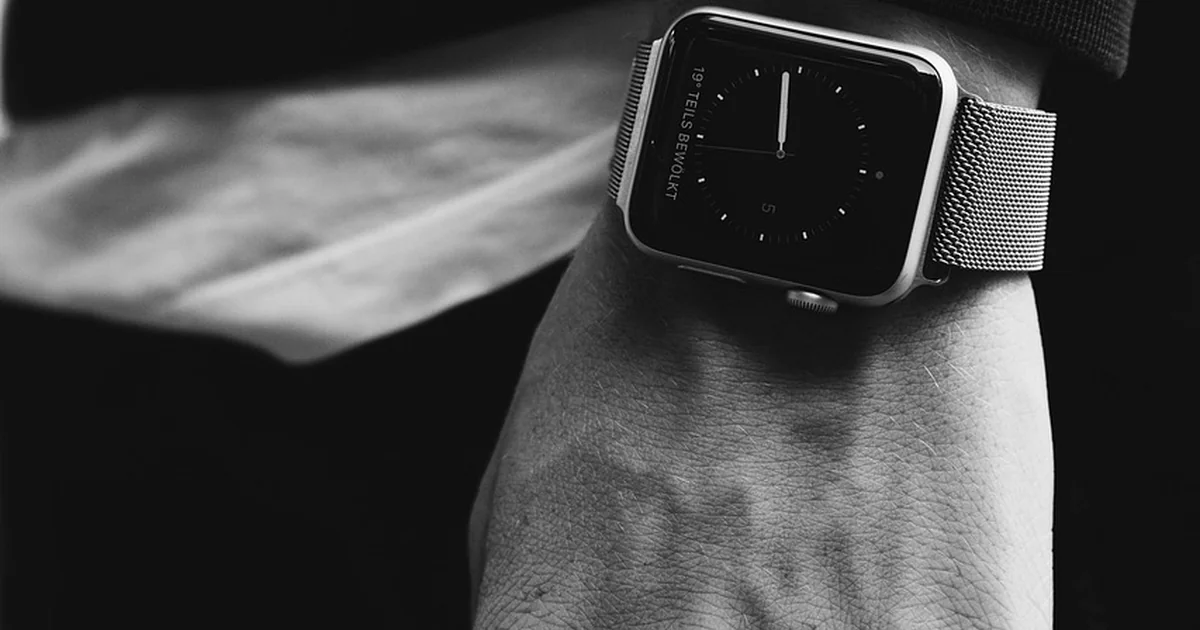
Then you have the Apple Watch. It is the complete opposite. The Apple Watch is a smartwatch first. It is an extension of your iPhone on your wrist. It has a bright display, tactile buttons, apps, notifications, and can make phone calls. Even when comparing these from a health and fitness perspective, the Apple Watch feels like a tool you actively use throughout the day. The WHOOP feels like something you forget is even there.
I understand the appeal of an accessory that is intentional, hyper-focused on one thing, and distraction-free. I did enjoy that aspect of the WHOOP. The only time I physically interacted with it was to charge it. If you want a dead-set fitness tracker that does nothing else, the WHOOP will do that for you. But if you want a device that also handles your messages, calls, and navigation, the Apple Watch wins hands down.
Why This Difference Matters for Daily Life
During my 60-day test, I found that the WHOOP allowed me to disconnect more. I was not tempted to check notifications during a run. I simply ran. The Apple Watch, by contrast, kept me connected. I could reply to a text without pulling out my phone. For some people, that constant connectivity is a feature. For others, it is a distraction. Your personal preference will heavily influence which design philosophy suits you better.
2. Battery Life: A Clear Winner
The WHOOP’s distraction-free nature results in amazing battery life. It is rated for about 14 days. I consistently got around 10 to 12 days with the WHOOP MG before needing to charge. The charging system is clever. The charger is a battery pack that slips onto the WHOOP, allowing you to charge it even while wearing it. I preferred to take it off, but the option is there. Constant data collection is a huge part of the WHOOP philosophy, and the battery supports that.
Then you have the Apple Watch. I am using a two-year-old Apple Watch Ultra 2. At its best, it is rated for 36 hours. Low-power mode extends that to 60 hours. But since my unit is older, I get about 30 to 32 hours before needing to charge. I usually charge it daily when I am in the shower or doing dishes. Battery is something I think about constantly with my Apple Watch. If you work out for hours at a time, multiple times a day, it drains even faster. It is safe to assume you will easily get through a day on one charge, but you will need to charge it on day two.
If your number one priority is uninterrupted 24/7 tracking, the WHOOP absolutely has the edge here. You can wear it for nearly two weeks without thinking about power. The Apple Watch requires a daily charging habit.
Practical Battery Management Tips
If you choose the Apple Watch, set a routine. Charge it while you shower or while doing dishes. That 20 to 30 minutes each day keeps it topped up. For the WHOOP, I charged it once every Sunday. I slipped the battery pack on while I watched a movie. It was a once-a-week task that took about an hour. The difference in battery anxiety is real.
3. The Health Sensors Situation
This one actually surprised me. Going into this comparison, I assumed the WHOOP would have every advanced health sensor imaginable. But in reality, the Apple Watch has more sensors than the WHOOP MG. The Apple Watch Ultra 2 includes an optical heart rate sensor, an electrical heart sensor for ECG, a blood oxygen sensor, a skin temperature sensor, an accelerometer, a gyroscope, dual-frequency GPS, an altimeter, a compass, an ambient light sensor, a depth gauge, and a water temperature sensor.
Meanwhile, the WHOOP MG has a PPG heart rate sensor, heart rate variability tracking, a skin temperature sensor, and an accelerometer. It also advertises blood pressure tracking, but that feature feels half-baked. Setting it up requires extra steps and friction. I never got consistent readings from it.
The interesting part is that even though the Apple Watch is doing more overall, the core fitness and recovery data between the two is very comparable. Heart rate, sleep tracking, and recovery metrics presented mostly the same values. The difference comes down to how the data is presented, not the raw numbers themselves.
What the Average Reader Overlooks
Many people assume more sensors equal better data. That is not always true. The WHOOP’s software algorithms are highly tuned for recovery and strain. It processes fewer data points but does so with a specific focus. The Apple Watch collects a wider range of data but spreads its attention across many features. For pure fitness tracking, the WHOOP’s limited sensor set is enough. For overall health monitoring, the Apple Watch offers more depth.
You may also enjoy reading: Why a Sam Bankman-Fried Trial Would Be a Massive Waste.
4. The App Experience
Now this is WHOOP’s bread and butter. The WHOOP app experience is actually great. It gives you recovery scores, strain targets, and sleep coaching. The interface is clean and focused. It tells you exactly what to do: how hard to push today, how much sleep you need, and when to take a rest day. The app feels like a personal coach that lives on your phone.
The Apple Watch, by contrast, spreads its data across the Fitness app, the Health app, and third-party apps. You have to dig for insights. The Apple Watch tells you what happened. The WHOOP tells you what to do about it. That is a big difference. For example, after a poor night of sleep, the WHOOP app would suggest a lower strain target for the day. The Apple Watch would just show you your sleep duration and leave you to decide.
Step-by-Step: How to Use WHOOP’s Recovery Score
When you wake up, open the WHOOP app. Look at your recovery score. It is a percentage from 0 to 100. If it is above 67 percent, you are green. That means your body is ready for a high-strain day. If it is between 34 and 66 percent, you are yellow. Moderate strain is recommended. If it is below 33 percent, you are red. Take it easy. The app then suggests a specific strain target for the day. Follow that number. It keeps you from overtraining or undertraining.
The Apple Watch does not offer this kind of guided coaching. You have to use third-party apps like Athlytic or Training Today to get similar features. That adds complexity. For someone who wants a simple, all-in-one coaching experience, the WHOOP app is superior.
5. Subscription Model vs One-Time Purchase
This might be the deciding factor for many people. The WHOOP requires a subscription. You pay for the hardware upfront or get it free with a longer commitment. Then you pay a monthly or annual fee to access your data. The cost is about $30 per month or $239 per year. Over two years, you will spend nearly $480 just on the subscription.
The Apple Watch is a one-time purchase. You buy the watch, and it is yours. There is no monthly fee for the core fitness features. You do not need a cellular plan to track workouts or monitor your health. The Apple Watch SE starts at $249. The Series 9 is $399. The Ultra 2 is $799. Over two years, the Apple Watch costs less than the WHOOP subscription alone.
But there is a catch. The WHOOP subscription includes continuous algorithm updates and new features. Your hardware stays relevant as long as you pay. The Apple Watch hardware becomes outdated. After two or three years, the battery degrades, and you may want to upgrade. That is an additional cost.
Which Model Saves You More Money?
If you plan to keep a device for three years, the Apple Watch is cheaper. Buy a Series 9 for $399. Use it for three years. Total cost: $399. For the WHOOP, three years of subscription costs about $717. That is nearly double. However, if you upgrade your Apple Watch every year, the cost evens out. It depends on your upgrade cycle.