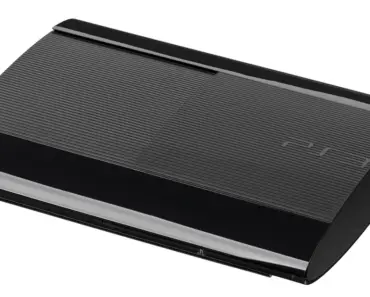
When Asus took over Intel’s Next Unit of Computing platform, enthusiasts held their breath for a reinvention of the compact PC dream. What arrived instead was a machine that pushes the boundaries of size, price, and purpose. The Asus ROG NUC 16, with its Intel Arrow Lake HX processors and GeForce RTX 50-series mobile graphics, has sparked a fierce debate. Is this the future of rog nuc gaming, or has the concept lost its way? Let us examine five key reasons why this device might actually signal the end of bulky gaming rigs — and why that victory comes with a heavy cost.

The End of Tower Tyranny: How Mini PCs Redefine Space
For decades, gaming meant owning a massive tower that dominated your desk and your living space. The ROG NUC 16 challenges that tradition head-on. At roughly the size of a thick hardcover book, it tucks away neatly beside a monitor or inside an entertainment center. This is not a compromise; it is a deliberate statement that raw power no longer requires a full tower footprint.
Consider the typical gamer living in a city apartment. Desk space is precious. A traditional mid-tower case eats up around 2.5 square feet of surface area. The ROG NUC 16 consumes less than half of that. For someone who works from home and games at the same desk, that reclaimed space transforms the setup. You can fit a larger monitor, a proper keyboard, or simply enjoy breathing room.
The design shift matters for more than aesthetics. Smaller hardware generates less ambient noise when placed correctly. The ROG NUC 16 uses a refined cooling system that vents heat efficiently without requiring the massive fans of a full tower. This means quieter operation during late-night gaming sessions. Your family or roommates will thank you.
The Moonlight White Edition: Aesthetic Gamble or Genius?
Asus introduced a white variant called the Moonlight White Edition. This color choice targets gamers who want their hardware to blend into a modern living room rather than scream “gamer den.” Some critics compare it to a budget console, but the intention is clear: make powerful gaming less visually intrusive. The white finish reflects light differently, reducing the harshness of RGB LEDs and creating a cleaner profile on a shelf or desk.
Whether you love or hate the look, the shift toward neutral colors in gaming hardware is a broader trend. Beige PCs dominated the 1990s. Black boxes took over in the 2000s. White represents a third wave, one that prioritizes integration over intimidation. The ROG NUC 16, in its white form, may not appeal to everyone, but it opens the door for gamers who previously felt alienated by aggressive, angular designs.
Performance Without the Bulk: What the Hardware Actually Delivers
The core promise of rog nuc gaming is that you do not need a giant case to run modern titles at high settings. The ROG NUC 16 backs this claim with genuine muscle. The Intel Arrow Lake HX processors, specifically the Plus models, offer desktop-class performance in a mobile-friendly package. Paired with an RTX 5080 mobile GPU, this mini PC can handle ray tracing at 1440p without breaking a sweat.
Memory support jumps to 128 GB of DDR5-6400, up from the previous generation’s 96 GB cap. That extra headroom benefits games that load massive open worlds, like Starfield or Cyberpunk 2077, where texture streaming and background processes demand more RAM. Asus markets this upgrade for smoother high-FPS gameplay and faster responsiveness. In practice, it means fewer stutters when you alt-tab out of a game or run a browser with dozens of tabs in the background.
Storage also gets a boost. Two M.2 SSD slots allow for fast NVMe drives. You can run your operating system on one drive and your game library on another, reducing load times significantly. For a device this small, the storage flexibility is impressive. You are not locked into a single drive like some ultra-compact competitors.
The Real-World Gaming Experience
Imagine sitting down to play Baldur’s Gate 3 on a 4K monitor. The ROG NUC 16, with its RTX 5080, delivers smooth frame rates at high settings. The system remains quiet enough that you hear dialogue clearly without headphones. The heat exhausts out the back, not onto your mouse hand. These small quality-of-life improvements matter more than raw benchmark numbers.
For competitive gamers, the latency reduction from a dedicated gaming platform matters. The ROG NUC 16 supports high-refresh-rate monitors up to 240 Hz or beyond via DisplayPort. You get the responsiveness of a desktop without the bulk. This is the kind of performance that makes bulky gaming towers feel like relics from a bygone era.
The Price Paradox: Why Four Thousand Dollars Stings
Here is where the dream hits reality. The ROG NUC 16, based on pre-order prices in China, lands around $4,400 for a top-spec configuration. On Amazon, the previous generation with an RTX 5080, 32 GB of RAM, and a 2 TB SSD costs $3,868. That is a lot of money for a device that does not include a monitor, keyboard, or mouse.
To put this in perspective, a Lenovo Legion Pro 7i laptop with identical internal hardware costs around $3,000. That leaves you $1,000 for a high-quality monitor and peripherals, and you still get a portable screen. The laptop also includes a battery, a webcam, and a keyboard. The ROG NUC 16 offers none of those. You are paying a premium for the compact form factor alone.
Mini PCs are niche products with low sales volumes. Manufacturers must recoup research and development costs across fewer units. This economic reality inflates prices. However, $4,400 stretches the definition of “niche premium” into something that feels unjustifiable for most gamers. You could build a full desktop with an RTX 5080, a Ryzen 9 processor, 64 GB of RAM, and a high-end case for significantly less money.
What If You Want Upgradability?
One of the biggest selling points of traditional gaming towers is upgradability. You swap out the GPU in three years. You add more RAM. You replace the CPU. The ROG NUC 16, like most mini PCs, limits your options. The GPU is soldered or integrated into the motherboard in a way that makes replacement impractical. You can upgrade the RAM and storage, but the core components are locked in.
For a device that costs as much as a high-end desktop, this lack of future-proofing is a dealbreaker for many enthusiasts. If you want to run the latest games in 2028, you will likely need to buy an entirely new NUC rather than upgrading a single part. That is a significant hidden cost over the lifespan of your gaming hobby.
You may also enjoy reading: 5 Reasons Building Software for Undocumented Citizens Fails.
The Trade-Offs: Portability Versus Practicality
The ROG NUC 16 trades portability for raw power, but at what point does a mini PC stop being mini? The device is small enough to fit in a backpack, but it requires a separate monitor, keyboard, and mouse to function. Compare this to a gaming laptop, which includes everything you need in one package. If you travel frequently, the laptop wins hands down.
Consider a student living in a dorm. They have limited desk space and a tight budget. The ROG NUC 16, at $4,400, is out of reach. A gaming laptop at half the price offers more flexibility. They can take it to class, to the library, or home for holidays. The NUC stays tethered to a desk. Its portability is theoretical, not practical.
For someone who moves between two homes or travels for work, the weight difference matters. The ROG NUC 16 weighs around 2.5 kilograms, about the same as a thin gaming laptop. But you also need to carry a monitor, keyboard, and mouse. Suddenly, your compact setup becomes a multi-bag ordeal. The convenience evaporates.
The Desk Space Argument Holds Water
Where the ROG NUC 16 truly shines is in a permanent setup. If you have a dedicated desk and never plan to move your gaming rig, the space savings are real. You can place it vertically on a stand or horizontally under a monitor. The cable management is simpler because the unit is small. You do not need a massive power supply or a tangle of fan cables.
This makes the NUC an excellent choice for a living room gaming PC. Place it next to your TV, connect a wireless controller, and you have a console-like experience with PC game library access. The white Moonlight White Edition blends into entertainment centers better than a black tower ever could. For this specific use case, the ROG NUC 16 excels.
AI and the NPU Problem: A Missed Opportunity
Asus markets the ROG NUC 16 as a gaming device, but the hardware could theoretically handle AI workloads. The 128 GB of DDR5-6400 memory seems tailor-made for large language models and machine learning tasks. However, the Neural Processing Unit (NPU) in the Arrow Lake processor is not powerful enough to make proper use of that much RAM for AI.
If you want to run AI models locally, you would be better served by a Framework Desktop with 128 GB of unified memory, which offers better integration between CPU, GPU, and memory for parallel processing. The ROG NUC 16’s GPU, even the RTX 5080 variant, is limited to 16 GB of VRAM. That is insufficient for many modern AI workloads that require 24 GB or more.
This mismatch highlights a fundamental confusion in the product’s positioning. Gamers do not need 128 GB of RAM for gaming. AI enthusiasts need more VRAM or unified memory. The ROG NUC 16 tries to serve both audiences but satisfies neither fully. It is a jack-of-all-trades that masters none.
The Real Audience: Cash Cows or Early Adopters?
What we have here is less something for PC gamers and more for cash cows who can be won over with ROG branding and top-tier hardware specs. The price point filters out budget-conscious buyers. The lack of upgradability filters out enthusiasts. The AI limitations filter out professionals. Who is left?
Early adopters with disposable income who want the smallest possible high-end gaming PC. That is a tiny market. Asus knows this. They are not trying to sell millions of units. They are creating a halo product that demonstrates their engineering prowess. The ROG NUC 16 exists to say, “Look what we can do,” not to be a practical purchase for the average gamer.