Think of a punch card and you probably picture room-sized computers from the 1960s, stacks of stiff cardboard rectangles, and a deafening clatter from a card reader. That image feels ancient today, yet the concept of encoding information with physical holes endures in a surprising new form. Modern makers have resurrected the punch card using 3D printing, turning a low-density storage medium into a rugged, highly personal way to safeguard digital secrets. By layering plastic or metal instead of cutting paper, they have reimagined an old idea for a new century.
The First Way: Desktop PLA Printing for Rapid Prototyping
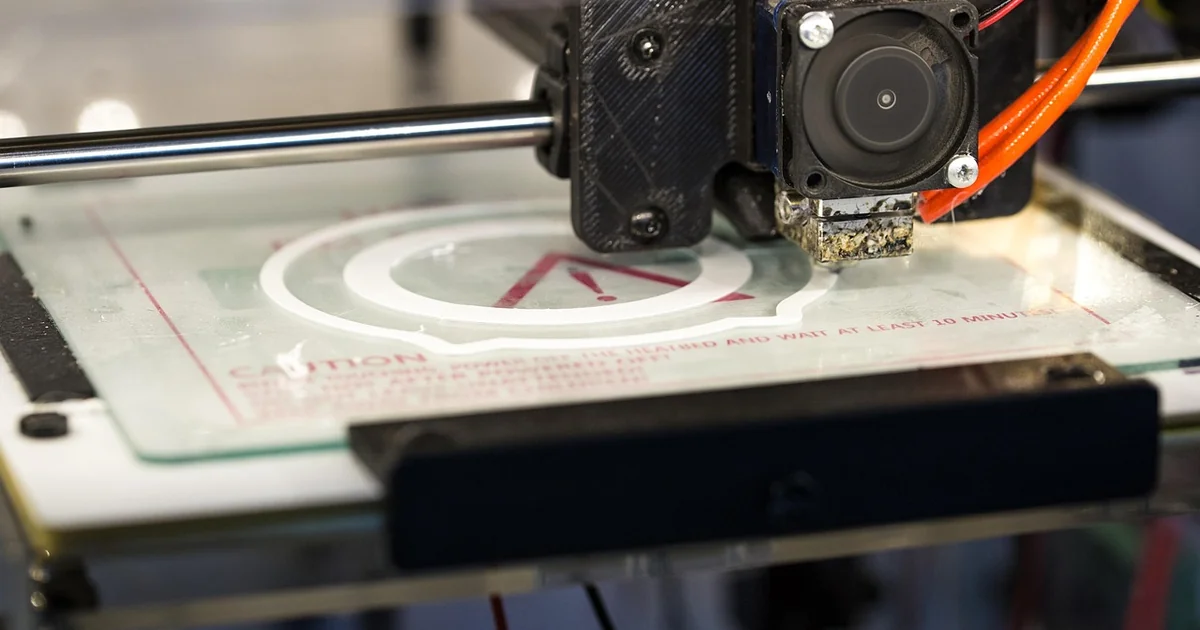
The most accessible entry point for 3d printed punch cards uses a standard FDM printer and PLA filament. Makers like Bitroller provide Python scripts that generate printable STL files from any 16-byte message. The design uses raised nubs and flat surfaces rather than actual holes, building the pattern layer by layer. A hobbyist printer can produce a card in under an hour on a bed of modest size.
PLA is light, cheap, and comes in bright colors that help with machine vision later. The material choice here is deliberate. Contrast between a light‑colored PLA card and a dark reading surface makes it easy for a webcam to detect each position. This approach solves a practical problem: traditional punch cards needed precise dies and presses. With 3D printing, anyone with a 200‑dollar printer can iterate multiple designs in a single afternoon.
One challenge people face is adhesion. Thin card geometries can warp on the print bed. A simple solution is to use a brim or raft in the slicer settings, and to keep the bed temperature steady at around 60°C for PLA. After printing, a quick wipe with isopropyl alcohol removes any oily residue that might interfere with optical reading. This method is not archival, but it works brilliantly for everyday password backup.
What You Gain With PLA
Low cost and rapid iteration are the main draws. You can encode a Wi‑Fi key, a safe combination, or a Bitcoin private key in under an hour. If you make a mistake, just reprint. The environmental footprint is small compared to metal alternatives. And because the card is solid PLA, it does not tear like paper. It is also rigid enough to be stored in a wallet without bending.
The Python script handles the heavy lifting. It takes a plaintext string of up to 16 bytes, adds 4 bytes of Reed‑Solomon error correction, and maps the result to a grid of positions. The output file is ready to slice. This automation removes the need to manually align holes, a tedious and error‑prone task in the old days.
The Second Way: Metal 3D Printing for Archival Durability
PLA cards are convenient, but they degrade in sunlight and soften above 60°C. For truly permanent storage, makers turn to metal 3D printing. Using stainless steel or titanium, a 3d printed punch card can survive a five‑alarm fire, a flood, or decades in a shoebox. Bitroller noted that a steel card would likely outlast everything else he owns.
Metal printing is not as accessible as PLA, but services like Shapeways and Xometry make it practical for the DIY crowd. The same Python script can generate a mesh suitable for binder jetting or DMLS (direct metal laser sintering). The result is a thin metal plate with raised features that represent the same 16+4 byte layout.
The durability advantage is enormous. Paper punch cards from the 1960s are brittle and prone to tearing. Magnetic tape degrades over time. Even SSDs have a finite write lifetime. A stainless steel card, by contrast, is immune to electromagnetic fields, moisture, and most physical abuse. For anyone storing a recovery seed phrase or a cryptographic key they cannot lose, this is a compelling solution. The cost per card is higher—roughly $30 to $50 for a small batch—but the peace of mind is hard to beat.
Combining Metal With Optical Reading
Metal cards are dark and reflective, which creates a challenge for the webcam‑based reader. The solution is to paint the card with a matte black coating or to use a light‑colored metal like aluminum. Alternatively, the reader can rely on structured light or a simple LED ring to create consistent contrast. The OpenCV script included with Bitroller’s project can be adjusted to invert the detection logic if needed. With a small tweak, the same reading method that works for PLA also works for painted metal.
The Third Way: Encoding Data With Reed‑Solomon Error Correction
A key innovation in modern 3d printed punch cards is the use of advanced error correction. The old paper cards had no redundancy; a single torn corner or smudge could ruin the data. Bitroller’s design allocates 16 bytes for the actual payload and 4 bytes for a Reed‑Solomon code. This means up to two corrupted bytes can be fully recovered during reading.
Reed‑Solomon is the same algorithm used in QR codes, CDs, and deep‑space communications. It is overkill for a 20‑byte card, but that is exactly the point. The extra bytes allow the card to tolerate small manufacturing defects, dust on the webcam lens, or even a scratch across several rows. This makes the system robust enough for real‑world use, not just a bench project.
For example, suppose you encode a password that is exactly 16 characters long. If one byte gets lost because a nub was printed poorly, the error correction can reconstruct that single character. Without it, the entire card would be worthless. The error‑correction bytes also enable the reader to detect if more than two bytes are missing, so it can alert you rather than outputting garbage.
How to Generate the Error‑Corrected Pattern
The Python script uses the reedsolo library from PyPI. You provide your message, and the script converts it to a byte array, appends the parity bytes, then maps each bit to a physical location on the card. The generated STL file is a grid where each position represents one binary digit. The script also creates a visual reference PNG, so you can manually verify the pattern before printing.
This approach solves the problem of reliability. Traditional DIY punch cards had no error handling, making them impractical for anything but experimental use. By borrowing error correction from modern digital standards, 3D printed cards can store passwords you actually trust.
The Fourth Way: Reading With OpenCV and a Standard Webcam
Reading the card is where the 3d printed punch card truly steps into the 21st century. Instead of a mechanical contact reader, the project uses a simple webcam and the OpenCV computer vision library. The process takes a single snapshot of the entire card at once—something that would have required a supercomputer in the era of mainframes.
You may also enjoy reading: Patient Care Tech or CNA at KU Health: Requirements & Process.
The reading script works by detecting the card’s outline against a black background. It then aligns the grid of features using perspective correction. Each raised or flat area is classified as a 1 or a 0 based on brightness. The contrast between light‑colored PLA and a dark table is sufficient for reliable detection. The entire read cycle takes less than a second.
This is massively overkill. In the 1960s, a room‑sized IBM 1442 card reader could process about 300 cards per minute, but it used physical brushes and moving parts. Today, a cheap webcam and a Raspberry Pi can accomplish the same task with no moving parts and near‑zero error. The irony is not lost on makers. It is the perfect blend of old and new—a low‑tech storage medium paired with high‑tech vision.
Setting Up the Reader
To replicate this at home, you need a webcam (any USB model works), a dark background (a black sheet or matte poster board), and the OpenCV script. The script is included in Bitroller’s GitHub repository. Place the card on the dark surface, run the script, and the terminal will output the decoded bytes as a string. The system works best with even lighting—a desk lamp with a diffuser prevents hot spots.
One unexpected problem is that the card may slide or tilt during capture. The solution is to add a simple jig: a black cardboard frame with an indentation that holds the card steady. The jig can itself be 3D printed in black PLA to maintain high contrast. This simple accessory stabilizes the reading position and improves detection accuracy to nearly 100%.
The Fifth Way: Redefining the “Punch” in Punch Card
There is a friendly debate within the maker community: can you truly call it a punch card if nothing was punched out? Traditional cards had holes mechanically stamped through paper. 3d printed punch cards use additive manufacturing—they build material up rather than removing it. Every “hole” is actually a raised or lowered surface feature, not a void.
This distinction matters because it changes the physical nature of the medium. A traditional card could be read by sensing light through the hole. A 3D printed card relies on reflection or shadow. Yet functionally, the pattern of binary data is identical. The term “punch card” has evolved to mean a card whose surface pattern encodes bits, regardless of how that pattern was created.
If you think punch cards are irrelevant today, consider their long history: they powered Jacquard looms in 1804, controlled player pianos, gave rise to the MIDI standard, and fed the earliest computers. This new version honors that lineage while ignoring mechanical limitations. By removing the need for actual punching, 3D printing makes the format more adaptable. You could print a card encoded in braille, or one with magnetic ink, or one that doubles as a ruler. The possibilities expand once you stop cutting holes.
From Jacquard Looms to Shoebox Storage
The Jacquard loom used a chain of cards to weave complex patterns. Each card controlled one row of threads. Modern 3d printed punch cards are less about weaving and more about cryptography and backup. Yet the conceptual thread is direct: encode a set of choices in a physical medium that can be read by a machine. The material has changed from paper to PLA to steel, but the idea is robust.
This fifth way is really about mindset. It frees the creator from the constraints of paper—no more torn corners, no more misaligned punches, no more fading ink. A 3D printed card can be as thick or thin as you like, can embed a QR code alongside the binary grid, or can be shaped like a key fob. The additive process allows customization that was impossible with a hole punch and a die.
If you have sixteen bytes you absolutely must not forget—a password, a recovery seed, a GPS coordinate—a modern punch card offers a durable, low‑tech, offline backup. And because the card is physical, it is immune to digital corruption, ransomware, and cloud outages. You can store it in a shoebox, a safe, or even buried in a backyard capsule. The 3D printed version outlasts paper by decades or centuries, depending on the material.
Whether you choose PLA for speed, stainless steel for permanence, or a custom shape just for fun, the core idea is the same: a simple grid of bits that you can hold in your hand. And that is a very cool way to blend the past with the present.