
The State of the best webcams 2026 Market
The market is flooded with options that promise 4K resolution and AI tracking, but many of them stumble on the basics like color accuracy, lowlight performance, and consistent autofocus. I tested dozens of models from budget-friendly picks under $50 to premium PTZ cameras costing over $300. Here are the seven that actually delivered.
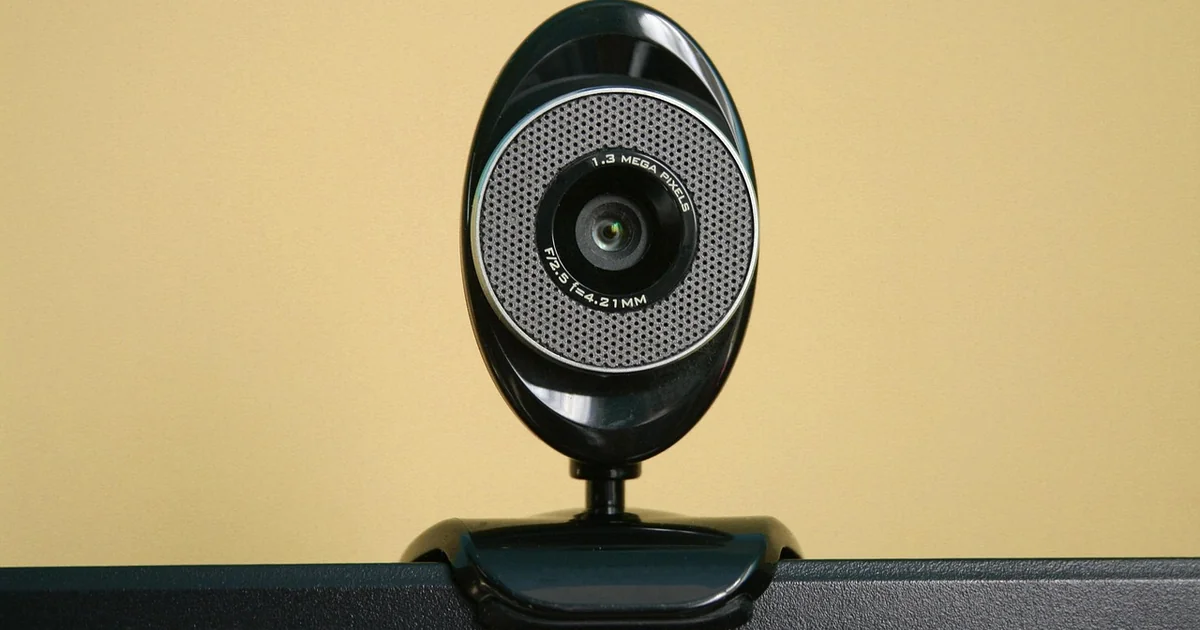
That’s a lot of complaints, I know. But the reality is that the webcam industry has spent years chasing resolution numbers while ignoring the everyday experience of someone sitting in a dimly lit home office. A 4K sensor means nothing if the image looks grainy or the colors look washed out. What I wanted to find were cameras that balanced sharpness, color fidelity, lowlight handling, and ease of use at every budget level.
What I discovered is a market with a few standout performers and a lot of mediocrity in between. The gap between a $50 webcam and a $150 webcam is surprisingly wide, and the $100 range remains a frustrating no-man’s land where compromises pile up. Let me walk you through the seven webcams that earned a spot on my list and explain exactly why each one deserves your attention.
Logitech Brio 300: The Best Budget Webcam for 2026
If you just need something simple and “good enough” for daily video calls, the Logitech Brio 300 is the safest bet under $80. It certainly has better lowlight performance than an older option like the Logitech C920, which is a camera that many people still reach for out of habit. The Brio 300 handles dimmer environments with noticeably less noise, and if you have decent lighting in your room, it will still be a clear upgrade over your laptop’s built-in webcam in terms of image quality.
I tested the Brio 300 in a home office with a mix of natural window light and a desk lamp. The camera produced a clean 1080p image at 30 frames per second, which is perfectly adequate for Zoom calls, Google Meet sessions, and Microsoft Teams meetings. The autofocus is reliable enough that you don’t have to think about it, and the built-in microphone picks up speech clearly from about three feet away.
The trade-off is that you don’t get 4K resolution, and the field of view is fixed at about 70 degrees. That means you won’t be able to fit multiple people into the frame easily, and the image won’t look as sharp as what you would get from a more expensive camera. But for someone who spends their day in back-to-back video calls and just wants to look presentable without fussing over settings, the Brio 300 delivers exactly what it promises.
One detail that surprised me is how much better the lowlight performance is compared to the older C920. The Brio 300 uses a newer sensor that handles shadows more gracefully, so you don’t get that grainy, muddy look that plagues so many budget webcams. If your workspace has less-than-ideal lighting, this alone makes the Brio 300 worth the extra $20 over the C920.
Anker AnkerWerk C310: The $100 4K Webcam That Almost Delivers
The $100 price point is a strange place in the webcam market. I haven’t yet seen a $100 webcam that actually feels like it’s worth the extra money over a solid $50 option, but the Anker AnkerWerk C310 comes closer than anything else I have tested. This is the 4K upgrade over the C200 from a few years ago, and it comes in right at $100 with a larger 1/2.5-inch sensor that promises better light capture and more detail.
I was particularly interested in the C310 because of that larger sensor. In theory, a bigger sensor should mean better lowlight performance and more natural depth of field. In practice, the C310 produces a noticeably sharper 4K image than the C200, and the colors are more accurate in good lighting. The camera supports 4K at 30 frames per second and 1080p at 60 frames per second, which gives you flexibility depending on what you are doing.
Where the C310 falls short is in its autofocus consistency. In my testing, the camera occasionally hunted for focus when I leaned forward or backward, which was distracting during a call. The lowlight performance is decent for the price, but it does not match what you get from the Logitech Brio 300 in dimmer conditions. That is a frustrating trade-off because the C310 offers higher resolution but a less reliable overall experience.
One I am looking forward to testing in my next round is the C310 with updated firmware, which Anker says improves the autofocus algorithm. If that fix works, this could become the go-to recommendation for anyone who wants 4K without spending $150 or more. For now, it is a promising option that falls just short of greatness.
Obsbot Tiny 3: The Best PTZ Webcam for 2026
PTZ webcams, which stands for Pan-Tilt-Zoom, are the latest hotness in the world of home office cameras. As the name suggests, these are far more versatile than a standard webcam. The camera sits on a gimbal and can follow you around a room using face-tracking. It can pan far to the left or right, tilt up and down, and use a digital zoom. That is a pretty advanced feature set, and likely not the kind of thing most people shopping for a webcam really need. But if you happen to use your webcam for streaming, giving presentations, teaching courses, or anything else that involves staying on camera while moving about your room, you probably need one.
The best PTZ webcam I tested is the Obsbot Tiny 3, which costs $349. That is the most expensive webcam I tested, and it is likely more than most people want to spend. But it produced the overall best color accuracy of any camera I reviewed. This camera replicated real-life color without looking overprocessed, better than any other webcam I tested, even beyond what the Insta360 cameras can do. I still prefer the lowlight performance of the Insta360 cameras, but the Obsbot Tiny 3’s colors are more natural and pleasing to the eye.
It can even shoot in 120 frames per second at 1080p, though I am not sure quite what the use case is for that outside of slow-motion capture. The gimbal tracking is smooth and responsive, and the camera can follow you as you walk across a room, which is genuinely impressive to watch. If you do a lot of live streaming or recorded presentations where you move around, the Obsbot Tiny 3 is the best tool for the job.
The software ecosystem is another strong point. Obsbot has introduced lots of interesting new ways to control the gimbal using AI. It can track objects, follow your voice, and gives you a few audio modes that would be helpful in specific use cases. There is even a feature that allows you to use preset voice commands to control the gimbal, such as choosing between preset angles or zooming in. All of the previous software features are still around, too, which are too extensive to list here, but include setting up customizable preset angles, desk mode, multiple speeds of head tracking, and so much more. There is tons to play around with, which is what makes these PTZ cameras so fun.
Obsbot Tiny 3 Lite: The Best Value PTZ Webcam
Obsbot has a cheaper version as well, the Obsbot Tiny 3 Lite at $179, which very well may be the PTZ webcam that most people should buy due to the lower price. It is a minor step down in image quality because it uses a smaller camera sensor. Most notably, you do not get as much of that natural background blur, and the lowlight performance is not as strong. But it is one of the most affordable ways to get the PTZ features without too much of a downgrade in quality.
I tested the Tiny 3 Lite in the same room as the full Tiny 3, and the difference in color accuracy and lowlight handling is noticeable but not deal-breaking for most users. The gimbal tracking works just as well, the voice commands are still available, and the camera can still pan, tilt, and zoom with the same smoothness. If you are primarily buying a PTZ camera for the movement and tracking capabilities rather than for studio-grade image quality, the Lite version makes a lot of sense.
For someone who streams or teaches online and needs a camera that can track their movement around a room, the Tiny 3 Lite hits a sweet spot. It costs about half the price of the full Tiny 3 but retains almost all of the functionality that makes PTZ cameras useful. The image quality is still better than what you would get from a typical $50 webcam, and the tracking is just as reliable. If your budget is tight but you need those PTZ features, this is the one to get.
Insta360 Link 2 Pro: The Best Mid-Range PTZ Webcam
If you do like the design of the Insta360 cameras, the company has a PTZ version of the Link 2C Pro that I recommended above. The Insta360 Link 2 Pro costs $250 and has the exact same picture and microphone quality as the Link 2C Pro, with the additional features of being able to pan, tilt, and zoom. There is also a cheaper model, the Insta360 Link 2, for $200. The main benefit the Link 2 Pro has over the Obsbot Tiny 3 is that it is a full $100 cheaper. That is significant, even if the color accuracy is not quite as good.
For what it is worth, I preferred the way the Link 2 Pro handled lowlight scenarios slightly better than the Obsbot Tiny 3. In a dimly lit room with only a monitor light and a desk lamp, the Link 2 Pro produced a cleaner image with less noise. The colors were not as natural as the Obsbot, but they were still accurate enough for professional video calls. The gimbal tracking is smooth, and the camera can follow you reliably as you move.
One feature I really appreciate is the ability to control the gimbal using your phone. By scanning a QR code on the screen, you can pull up controls in a browser on your phone and adjust the camera angle, zoom, and tracking settings without needing to install a separate app. That is super handy when you are in the middle of a presentation and need to adjust the framing without touching your computer.
The Insta360 Link 2 Pro also supports 4K at 30 frames per second and 1080p at 60 frames per second, which puts it on par with the Obsbot Tiny 3 in terms of resolution options. The built-in microphone is clear and picks up voice well from a few feet away. If you want PTZ functionality but cannot justify spending $349, the Link 2 Pro is the best alternative at $250.
You may also enjoy reading: 7 Ways This New FOMO Phishing Scam Uses Fake Party Invites.
Insta360 Link 2: The Best Budget PTZ Webcam
The Insta360 Link 2 is the $200 version of the Link 2 Pro, and it offers most of the same PTZ functionality at a lower price. The main difference is that the Link 2 does not include the Pro’s enhanced lowlight processing, so you get slightly more noise in dim environments. The color accuracy is similar, and the gimbal tracking works just as well. For someone who wants PTZ features but does not plan to use the camera in low-light conditions, the Link 2 is a solid choice.
I tested the Link 2 in a well-lit home office with overhead lighting and a ring light, and the image quality was virtually identical to the Link 2 Pro. The tracking was smooth, the voice commands worked reliably, and the phone control feature was just as convenient. The main reason to choose the Link 2 over the Pro is the $50 savings. If you have good lighting in your workspace, you will not notice the difference.
Consider a student who is on a tight budget and wonders if a $50 webcam is enough or if they should save for a $150 model. The Link 2 at $200 is more than a student would typically spend, but it offers PTZ functionality that a fixed webcam cannot match. For someone who records lectures, participates in group projects, or presents slides, the ability to move the camera and track movement adds real value. The Link 2 makes that functionality accessible without requiring a $350 investment.
Logitech C920: The Budget Classic That Still Competes
You might be surprised to see the Logitech C920 on a list of the best webcams 2026 has to offer, given that this camera has been on the market for over a decade. But the C920 remains a reliable fallback for a simple reason: it works consistently, costs under $50, and produces a clean 1080p image in good lighting. For someone who just needs a basic webcam for occasional calls and does not want to spend more than necessary, the C920 is still a valid choice.
That said, the C920 shows its age in lowlight conditions. The sensor struggles in dim environments, producing grainy, noisy images that look dated compared to newer cameras like the Brio 300. The field of view is fixed at 78 degrees, which is fine for a single person but not wide enough for group calls. The microphone is adequate but picks up more background noise than modern alternatives.
Where the C920 shines is in its reliability and software support. Logitech’s software allows you to adjust exposure, white balance, and focus manually, which gives you more control than many budget webcams offer. The camera works plug-and-play with Windows, macOS, and Chrome OS, so you do not need to install drivers. For a backup webcam or a first camera for a young student, the C920 is hard to beat at its price point.
The key takeaway is that the C920 is not the best webcam you can buy in 2026, but it is the best webcam you can buy for under $50 if you have decent lighting. If you are on a tight budget and your room is well-lit, the C920 will serve you well. If you frequently take calls in dimmer conditions, spend the extra $30 on the Brio 300.
Why the $100 Webcam Void Still Exists
One of the most frustrating patterns I noticed during testing is the lack of compelling options in the $100 range. You have the Logitech Brio 300 at around $70 and the Anker AnkerWerk C310 at $100, but neither feels like a clear winner. The Brio 300 offers better lowlight performance but lower resolution, while the C310 offers 4K but struggles with autofocus. Neither camera delivers the kind of polished experience that makes you feel confident in your purchase.
The gap between the $150 and $50 price points is wide, and manufacturers seem to be struggling to find the right balance of features and quality at the $100 mark. You either get a camera that does one thing well and another thing poorly, or you get a camera that does everything adequately but nothing exceptionally. That is a tough sell for someone who wants to spend $100 and feel like they got a great deal.
My advice is to either save the extra $30 and go with the Brio 300, or stretch your budget to $150 and step up to a camera with better autofocus and lowlight performance. The $100 range is where compromises live, and until more manufacturers release cameras that compete effectively at that price, it is better to go slightly above or below it.
Do You Really Need a PTZ Webcam?
PTZ webcams are overkill for most people, but for the right user, they are a game-changer. If you sit at a desk and never move during calls, a fixed webcam is perfectly fine. You do not need pan, tilt, and zoom capabilities. But if you teach, present, stream, or demonstrate products while moving around a room, a PTZ camera saves you from constantly adjusting your position or reaching for the camera to reframe the shot.
The decision comes down to how you use your camera. If you spend 90% of your calls sitting in one spot, save your money and buy a good fixed webcam like the Brio 300. If you move around, demonstrate physical objects, or present to a live audience, the extra cost of a PTZ camera is worth it. The Obsbot Tiny 3 Lite at $179 is the most affordable entry point, and it gives you almost all the functionality of the more expensive models.
For what it is worth, even if you do not need one, you will probably get a kick out of just experimenting with all the things a PTZ camera can do. The voice commands, preset angles, and object tracking are genuinely fun to play with, and they open up creative possibilities for how you use your webcam. If you have the budget and enjoy tinkering with technology, a PTZ camera is a rewarding purchase.
After all the testing, the seven webcams on this list represent the best balance of quality, features, and value at their respective price points. Whether you spend $50 or $349, there is a camera here that will make you look and sound better on your next video call. The key is matching the camera to your specific needs and lighting conditions rather than chasing the highest resolution or the flashiest features.







No Responses